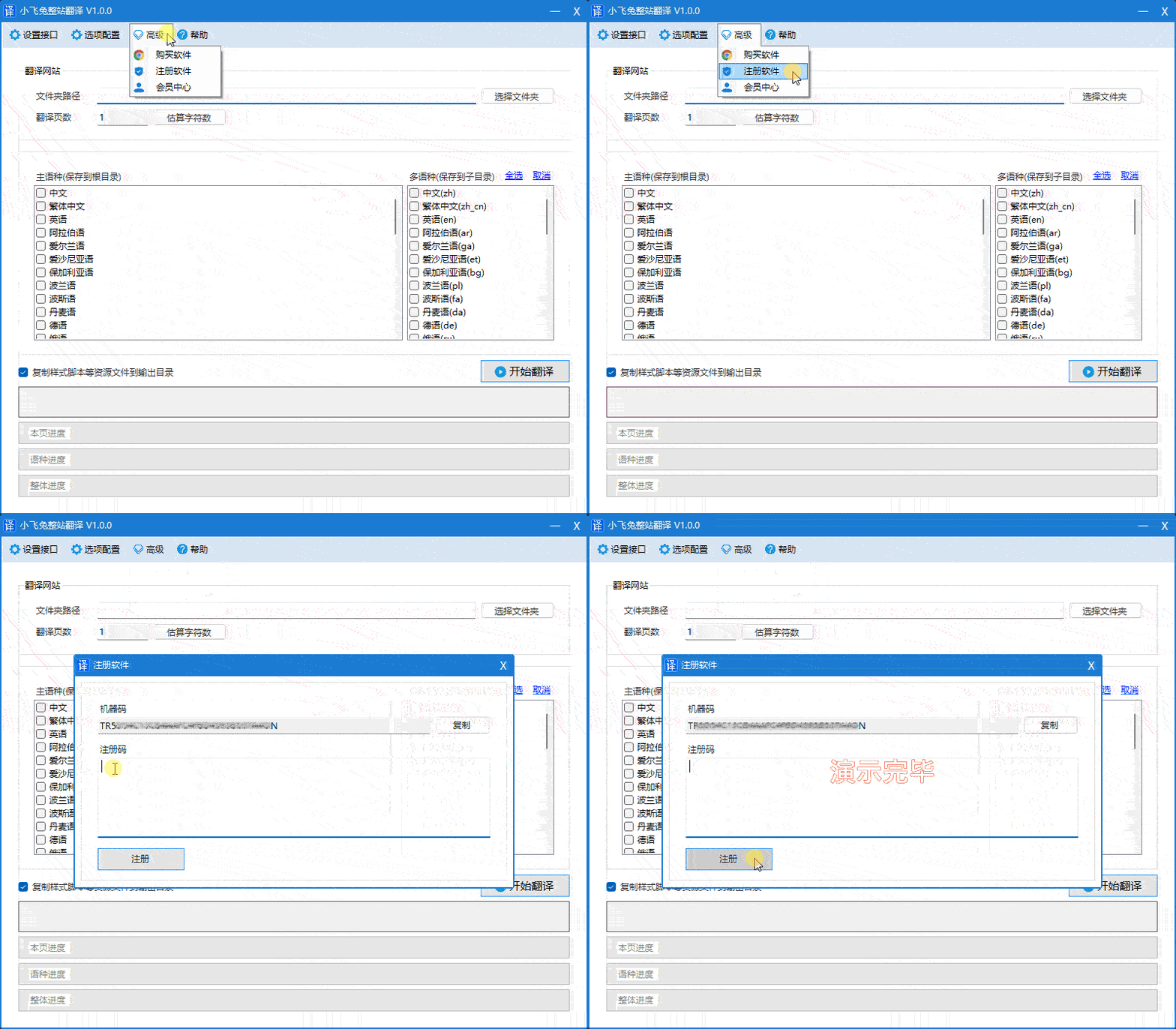
How do I purchase and register the software?
Buy
Purchase address
- Method 1: Click "Login" in the upper right corner of the website, then click "Activate Membership":../../../order1.html
- Method 2: Click the menu bar in the software.
advanced->BuyThen you will be taken to the order page.
Submit an order
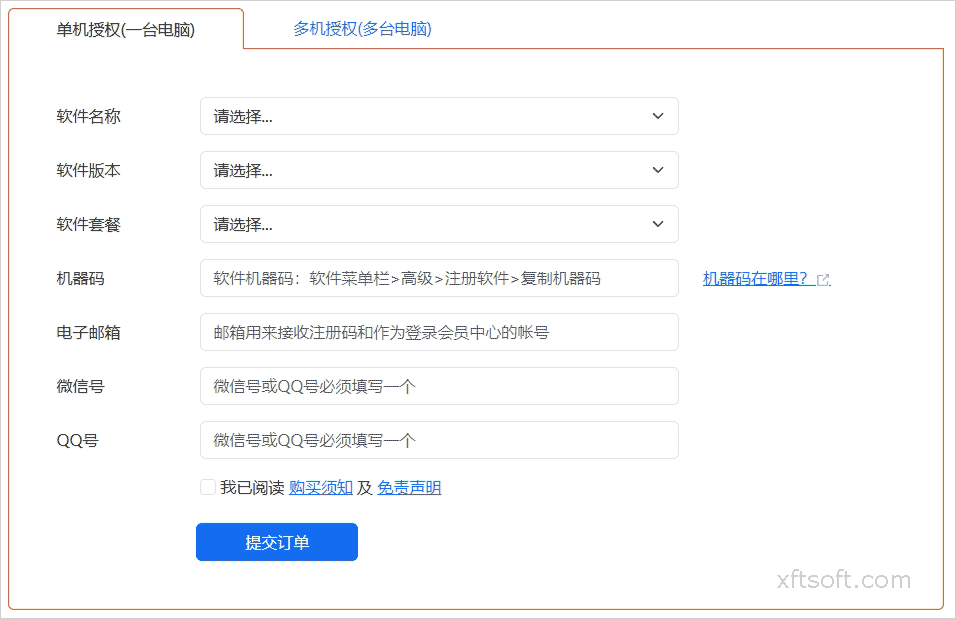
- choose
Software Name、Software version、Software Package、machine code、Email、Contact informationwait. - After filling in the form, click
Submit an orderProceed to the payment page.
Login account
- After payment is completed, the system will automatically...
Login account and passwordIt will be sent to your email address. If you have not received it, please contact online customer service.
Get registration code
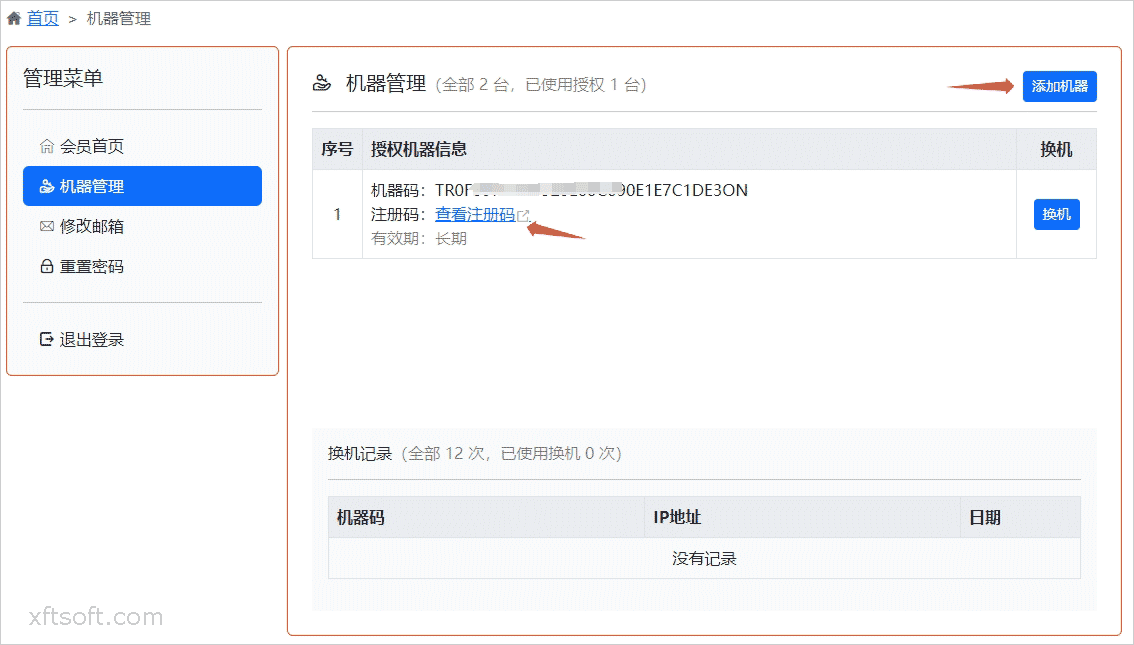
- Log in to the member center for reference:./user_login.html
- Click
Machine code managementIf there is no machine information in the menu, click here first.Add machine。 - Click in the list
View registration codeCopy the registration code after opening the page.
Register software
Copy registration code
- Purchase the software, obtain the registration code, and copy the registration code to your clipboard.
Register software
- Open the software and click on the menu bar.
advanced->Register softwareIn the opened window, paste the registration code you just copied, and then click the register button. - After registration is complete, restart the software. The software title bar will then display "Registered Version".