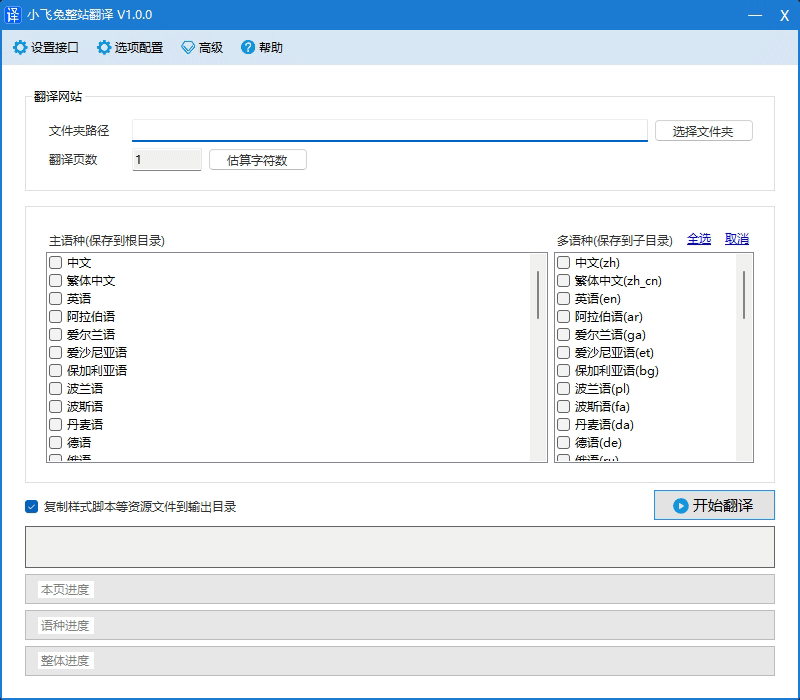
How to activate the Google Translate API, obtain the API key, and enable translation.
Table of Contents
Activation steps
Register an account
- Register an account:https://accounts.google.com/
Create credentials
Log in to Google Cloud:https://console.cloud.google.com/apis/credentials
Create credentials
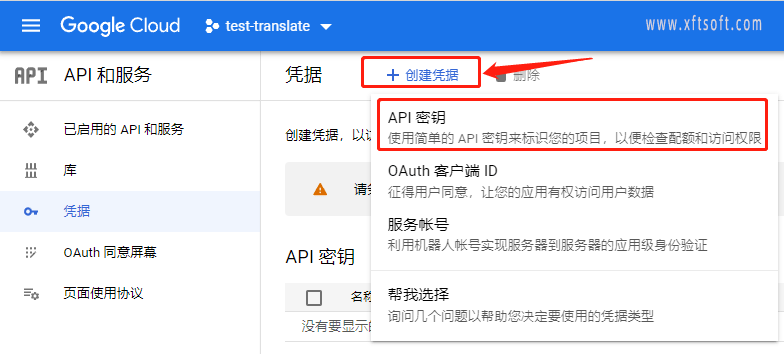
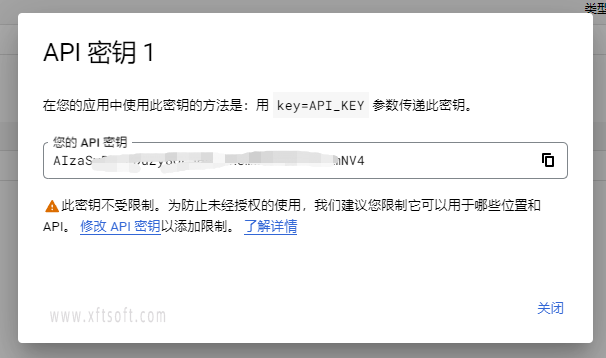
- Complete the creation of complex keys
Enable translation
- Enable Cloud Translation API:https://console.developers.google.com/apis/api/translate.googleapis.com/overview
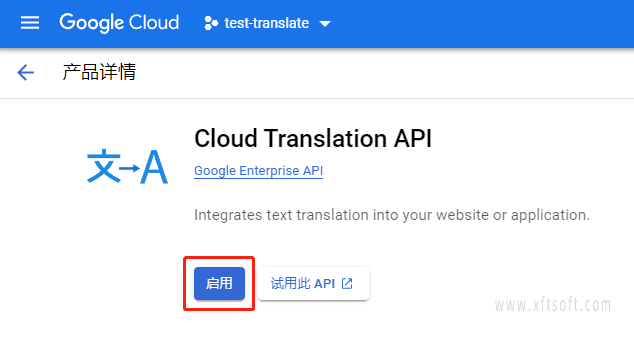
Note: If you encounter a lack of a settlement account during the activation process, simply activate the account.
Troubleshooting
Encountered HTTP 403 error
There may be a problem with your billing account (e.g., your credit card has expired), or you may have exceeded your daily billing limit or your character limit per minute. If you exceed your daily limit, you will receive a Daily Limit Exceeded error; if you exceed your character limit per minute, you will receive a User Rate Limit Exceeded error.
- To check the billing status of your project, please refer to the Cloud Billing documentation.Verify the settlement status of the project。
- To view or change your project's usage quotas, please visit the Google Cloud console."Quota" page。
HTTP 500 (Internal Errors) response
- This can happen if you don't specify the source language when submitting your text. If Google can't determine the source language of the given text (usually because the text is too short), we'll return a 500 error. To resolve this, explicitly specify the source language.
Solving common problems:https://cloud.google.com/translate/troubleshooting?hl=zh_CN
Recommended software
Xiaofeitu (a website translation service)
A translation tool that translates websites into multiple languages!
- Website:https://xftsoft.com/translation/