Download the whole siteV28.1

Software errors and solutions
1. The operating environment is not installed.
Windows Server 2008 R2 and later | Windows 7 and later, Windows 11 or Windows Server 2022 are recommended.
The runtime environment is Microsoft .NET Framework. If it is not installed, the following error message will appear.
Download and install Microsoft .NET Framework 4.6.2:https://download.visualstudio.microsoft.com/download/pr/8e396c75-4d0d-41d3-aea8-848babc2736a/80b431456d8866ebe053eb8b81a168b3/ndp462-kb3151800-x86-x64-allos-enu.exe
Download and install Microsoft .NET Framework 4.8.1:https://download.microsoft.com/download/4/b/2/cd00d4ed-ebdd-49ee-8a33-eabc3d1030e3/NDP481-x86-x64-AllOS-ENU.exe
Download and install the Microsoft .NET Framework (download from Baidu Cloud):https://pan.baidu.com/s/1pX69RObFYu2AANH5AJV6hw?pwd=x6ab#list/path=/小飞兔下载/运行环境
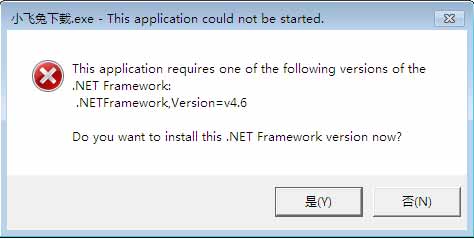
If your Windows system version is too low, installation may fail. Please try using a repair tool to fix the problem before installing .NET Framework 4.6.2.
Repair tool download link 1:https://www.microsoft.com/en-us/download/details.aspx?id=30135
Repair tool download address 2:https://pan.baidu.com/s/1G8XRRPqe-OM0So3x8YqHuA?pwd=dyqc
II. The application failed to start normally (0xc000007b).
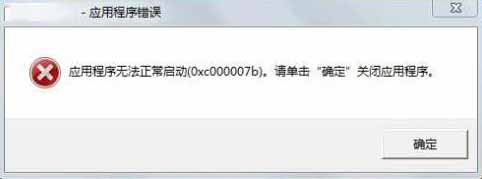
- Download and install the DirectX repair tool.
III. Explanation Regarding False Alarms from Antivirus Software
Please rest assured that this software itself does not contain any viruses or malicious code. Warning messages from some security software are usually caused by the following reasons:
Normal function triggers alarmTo generate a valid device identification code, the software needs to read necessary hardware information (such as hard drive serial number, motherboard identifier, etc.). This behavior may be similar to the protection rules of some security software, thus causing false alarms.
Code protection leads to misjudgmentTo protect the core algorithms and program logic, we hardened and encrypted the software code (i.e., "packed" it). This protection technique is often considered suspicious by some security software, leading to incorrect classification.
Recommended operationTo ensure the software functions correctly, please set it to "trusted" or add it to the "whitelist" in your security software before installation or use. You can also temporarily disable your antivirus software during use.
IV. Software crash issues
- Please confirm the software. Do not install it on the C drive (i.e., the system drive).The main reason is that the system disk has write file permission restrictions. Secondly, the system disk is monitored by antivirus software/system manager for writing files. When a large number of files are written, the software process will be killed (crash).
5. Double-clicking the software does not respond.
- If Windows has silently updated patches, it may also cause software to fail to launch.
Restart your computerThis can solve the problem. - When installing a Windows system on a Mac virtual machine with only a C drive, double-clicking...
XFT.exeNo response. Solution: Right-click the software.XFT.exeThen selectRun as administrator (A)Open the software.
VI. HTTPS failure
HTTP requests to .NET applications fail after a Windows update.Restart your computerThis can solve the problem.
VII. Impact of cloud storage software
- If you have cloud storage software installed on your computer and have enabled automatic synchronization (real-time upload), please note that the cloud storage may be using your read/write access for text files, potentially causing download failures.
- How to turn it off: Go to Settings → Sync Space → Enable Sync and turn it off.
Check if the operating environment is installed successfully.
- By using keyboard shortcuts
WIN+ROr, enter the search term in the Start menu.cmdPress Enter to open the cmd command window, then paste the following code.reg query "HKLM\Software\Microsoft\NET Framework Setup\NDP" /s /v version | findstr /i version | sort /+26 /r
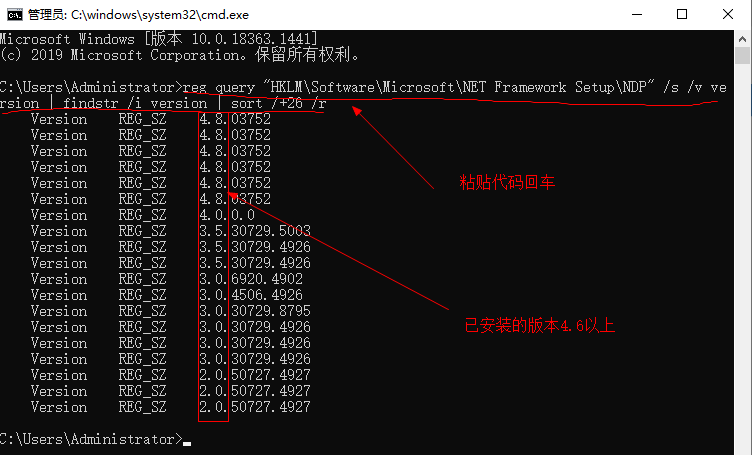
- As shown in the image, an installation version > 4.6 indicates that the runtime environment is installed correctly.
Software screenshots
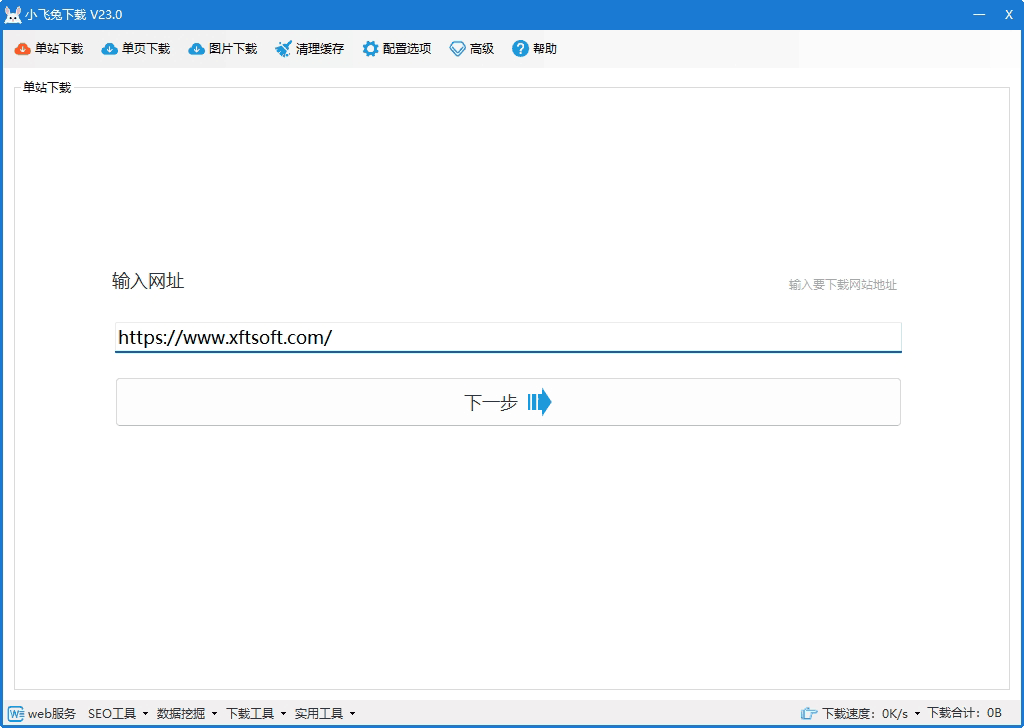
Software Introduction
Xiaofeitu is a high-efficiency website downloader that supports batch downloading, deep crawling, and multi-threaded acceleration. Whether it's a regular webpage or a dynamic website using Vue or AJAX asynchronous loading, it can intelligently identify and download it completely. Xiaofeitu is widely used in SEO optimization, website building, in-depth analysis, offline browsing, and data backup.
The software has five main functions:Single-site download, single-page download, batch site download, recorded download, static download
Features:Features include encoding conversion, tag recognition, intelligent recognition, built-in browser for visual operation, simplified/traditional Chinese conversion, English webpage translation, batch text replacement, and code deletion.