Execution scripts that export browser's sessionStorage, localStorage, and other storage information
Export login information
Copy code
function exportSessionStorage() { let sessionStorageScript = ''; for (let i = 0; i < sessionStorage.length; i++) { const key = sessionStorage.key(i); const value = sessionStorage.getItem(key).replace(/'/g, "\\'"); sessionStorageScript += `sessionStorage.setItem('${key}', '${value}');\n`; } return sessionStorageScript; } function exportLocalStorage() { let localStorageScript = ''; for (let i = 0; i < localStorage.length; i++) { const key = localStorage.key(i); const value = localStorage.getItem(key).replace(/'/g, "\\'"); localStorageScript += `localStorage.setItem('${key}', '${value}');\n`; } return localStorageScript; } function exportCookies() { let cookiesScript = ''; const cookies = document.cookie.split("; "); cookies.forEach(cookie => { const [name, value] = cookie.split("="); const escapedValue = value ? value.replace(/'/g, "\\'") : ''; cookiesScript += `document.cookie = '${name}=${escapedValue}; path=/';\n`; }); return cookiesScript; } const script = exportSessionStorage() + '\n' + exportLocalStorage() + '\n' + exportCookies(); const blob = new Blob([script], { type: 'application/javascript' }); const url = URL.createObjectURL(blob); const a = document.createElement('a'); a.href = url; a.download = '登录信息.js'; document.body.appendChild(a); a.click(); document.body.removeChild(a); URL.revokeObjectURL(url);
Open the console
- Open your browser (Chrome), open the target website, and press...
F12Or right-click the page and selectexamineKey to openDeveloper Panel。 - choose
consoleTabs.
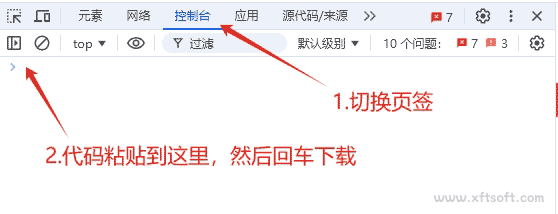
- Paste the code you just copied into the console and press Enter.
- Waiting for the download to complete.
Import login information
- In software
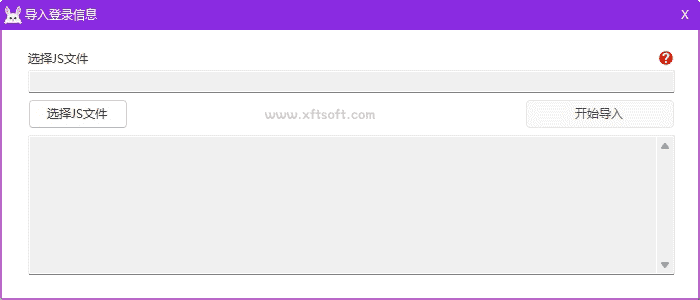
Recording and downloading>Record browser>Export login informationIn the window, select the js file that you just exported.