Detect the current SChannel status and Windows Update
Table of Contents
SChannel, or Secure Channel, is a core security component in the Windows operating system. It provides applications with standard interfaces for implementing secure network protocols such as SSL (Secure Sockets Layer) and TLS (Transport Layer Security), serving as the infrastructure for encrypted communication on the Windows platform. Simply put, when you access an HTTPS website using Internet Explorer on your Windows computer, or connect to a server via Remote Desktop (RDP), SChannel is responsible for establishing and maintaining secure connections.
Detect SChannel status
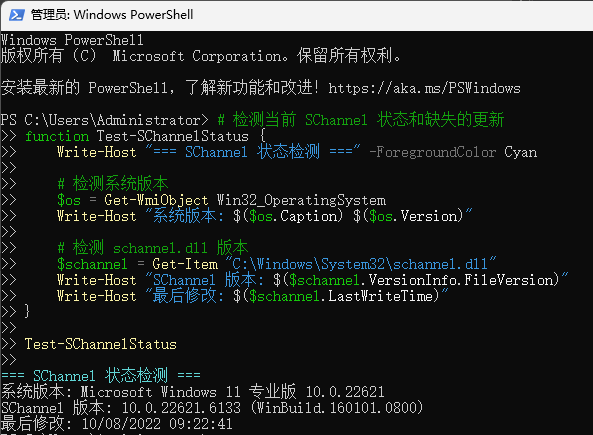
Open Windows PowerShell and run the following code:
# Detect the current SChannel status and missing updates function Test-SChannelStatus { Write-Host "=== SChannel Status Detection ===" -ForegroundColor Cyan # Detect system version $os = Get-WmiObject Win32_OperatingSystem Write-Host "System version: $($os.Caption) $($os.Version)" # Detect schannel.dll version $schannel = Get-Item "C:\Windows\System32\schannel.dll" Write-Host "SChannel version: $($schannel.VersionInfo.FileVersion)" Write-Host "Last modified: $($schannel.LastWriteTime)" } Test-SChannelStatus
Update WindowsUpdate
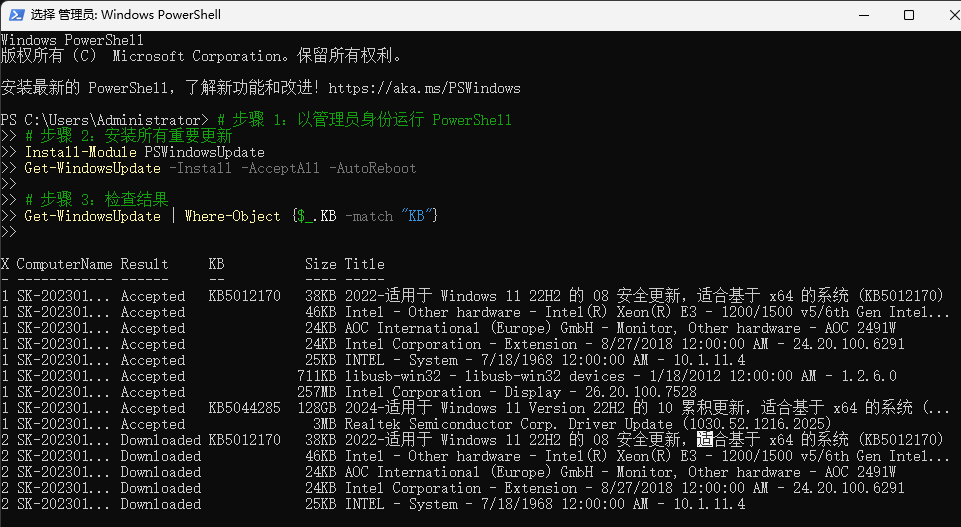
# Step 1: Run PowerShell as administrator # Step 2: Install all important updates Install-Module PSWindowsUpdate Get-WindowsUpdate -Install -AcceptAll -AutoReboot # Step 3: Check the results Get-WindowsUpdate | Where-Object {$_.KB -match "KB"}