How to quickly translate an entire English website into a Chinese website using Baidu Translate?
Table of Contents
Software Introduction
This software translates English websites into Chinese websites using the Baidu Translate interface, preserving the original page layout.
Download software
- Download the whole site (full site download).zip[Software size: 1.13M]
Software Configuration
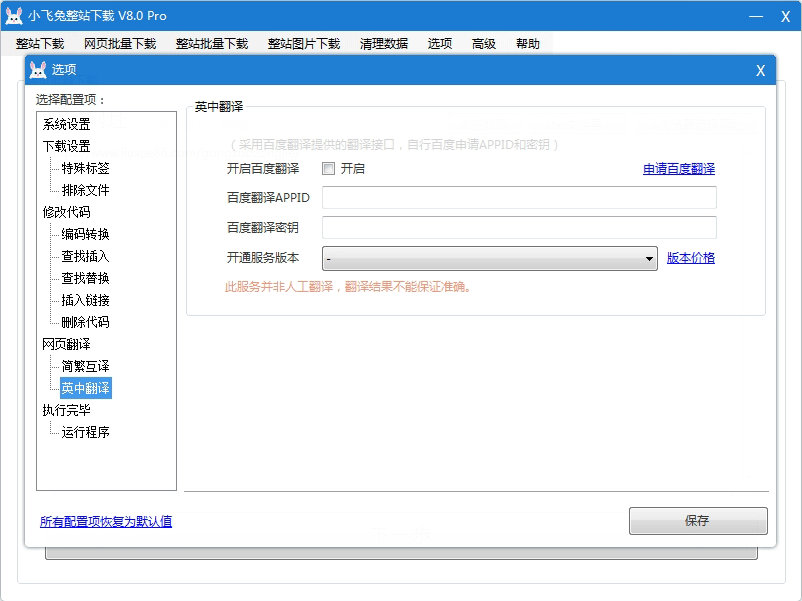
- Open the software > Options > find "Webpage Translation" and then "Baidu Translate".
- To apply for the Baidu Translate API (translation within 2 million characters is free), click the "Apply for Baidu Translate" link in the software. This will redirect you to the Baidu Translate website. Log in to your Baidu user account (register if you haven't already) and you will receive the API access code upon successful application.Application InformationAPP ID and key.
- Copy the APPID and key to the software, check "Enable Baidu Translate", and select the service version (this must be the same as the version enabled by Baidu Translate; you cannot choose any other version). Click "Save" and close the configuration selection.
Single-page translation
- Click "Batch Download Webpages" in the menu bar, enter the URL you want to download, and it will be automatically translated into Chinese after downloading.
Full site translation
- Click "Download the whole site" in the menu bar, enter the URL you want to download from, and it will be automatically translated into Chinese after downloading.
Related Articles
- How can I enable the Xiaofeitu translation function through the Baidu Translate API?
- The actual translation effect of website translation/webpage translation: whole-site translation
Recommended software
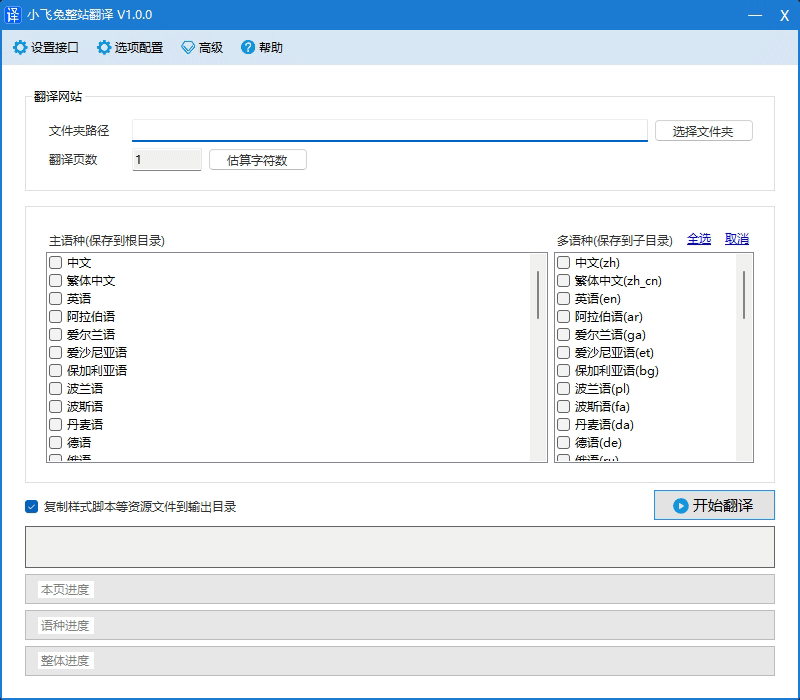
Xiaofeitu (a website translation service)
A translation tool that translates websites into multiple languages!
- Website:https://xftsoft.com/translation/
Previous article:Xiaofeitu Download V9.0 Update Log