
【亞馬遜接口】獲取亞馬遜翻譯接口及配置翻譯接口
本文介紹 如何開通亞馬遜翻譯接口 和
小飛兔整站翻譯設置亞馬遜翻譯接口。
開通步驟
注冊帳號

獲取密鑰
登錄我的安全憑證:https://console.aws.amazon.com/iam/home#/security_credentials
訪問密鑰:創建訪問密鑰 (點擊右下角用戶名,在下拉列表中選擇 安全憑證)
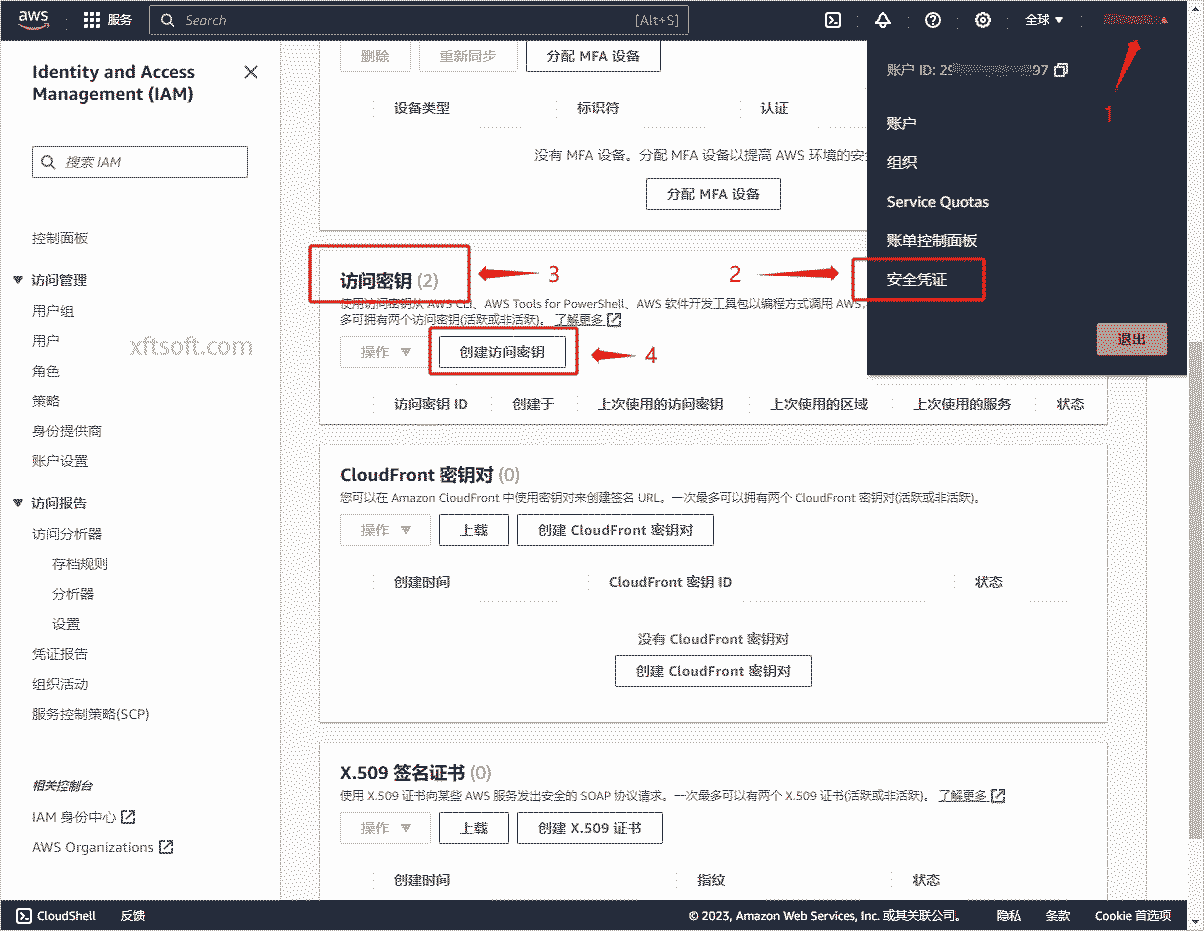
- 創建完成複製密鑰
設置接口
1.下載軟件
- 如果還沒下載
小飛兔整站翻譯,請先下載軟件:/product/download/translation.zip
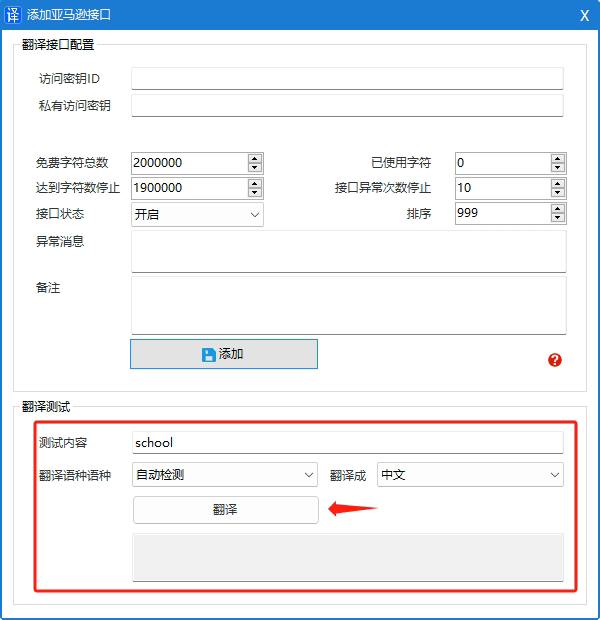
2.接口配置
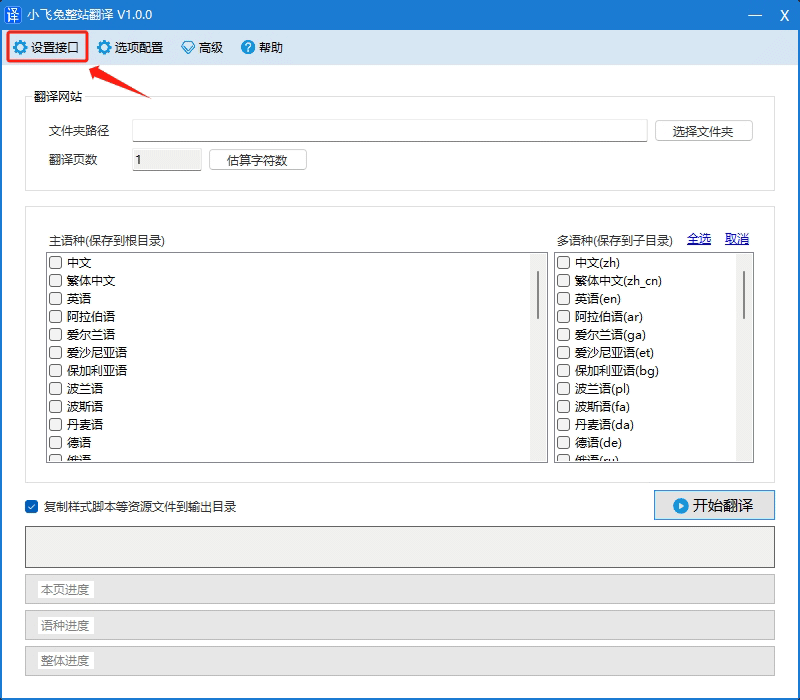
- 打開軟件,點擊菜單欄的
設置接口。
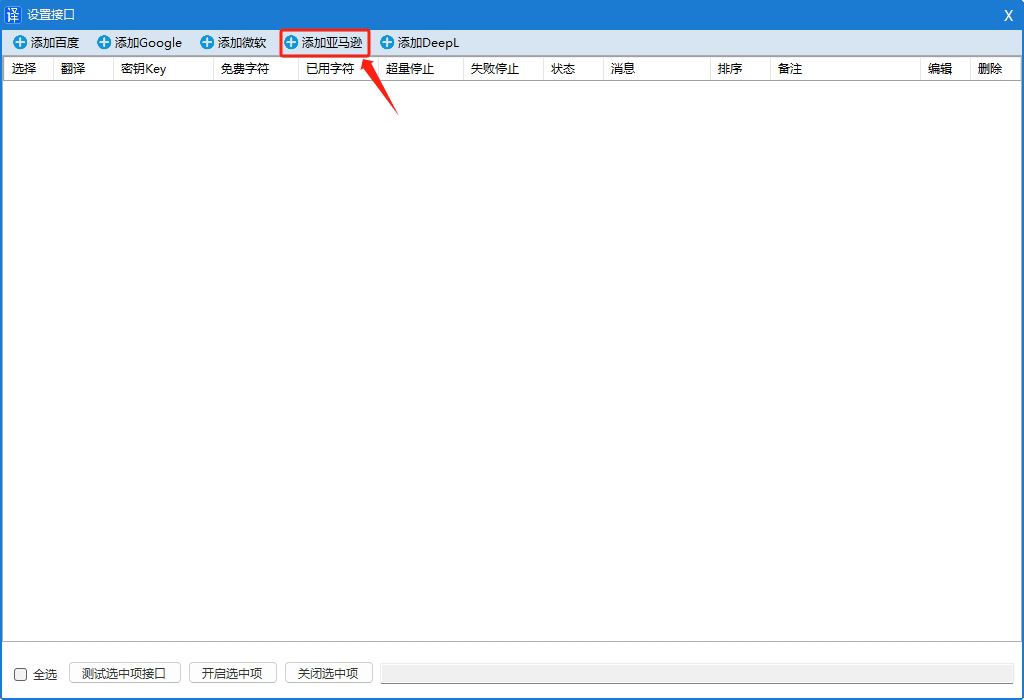
- 在打開窗口中,點擊
添加微軟。
- 在打開窗口中,分别輸入
翻譯APPID、翻譯密鑰和服務版本。
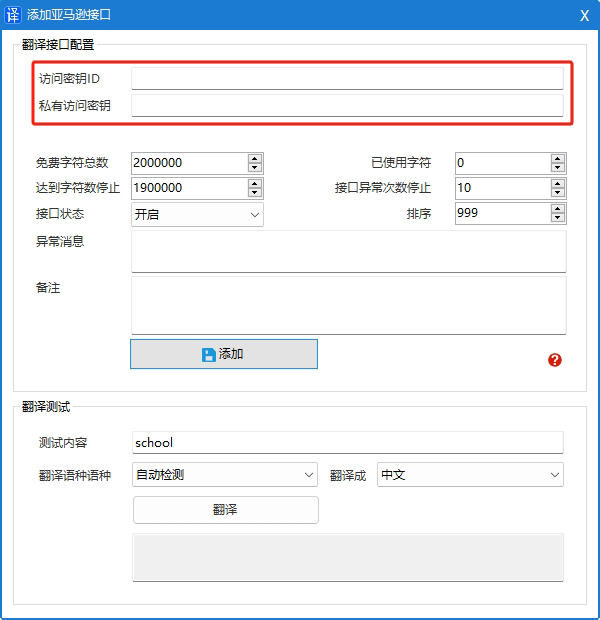
- 點擊按鈕
添加。
3.測試驗證翻譯
接口費用
免費
- 每月最多可翻譯 200 萬個字符,最長可免費翻譯 12 個月。
付費
- 每百萬字符 15.00 USD
具體費用參考官網文檔:https://aws.amazon.com/cn/translate/pricing/
其他
支持語言
有效區域
翻譯文檔
- https://docs.aws.amazon.com/zh_cn/translate/latest/dg/what-is.html
- 接口文檔:https://docs.aws.amazon.com/zh_cn/translate/latest/dg/API_TranslateText.html
- 簽名V4:https://docs.aws.amazon.com/zh_cn/general/latest/gr/signature-version-4.html
- .Net簽名:https://docs.aws.amazon.com/zh_cn/general/latest/gr/signature-v4-examples.html#signature-v4-examples-dotnet
- Python完整簽名:https://docs.aws.amazon.com/zh_cn/general/latest/gr/sigv4-signed-request-examples.html