How does the login page use cookies?
Table of Contents
Simply put, cookies are used to store user login information.
How to obtain the cookie value?
To obtain cookies in Chrome browser: Open the website you want to download from using Chrome browser, enter your account and password to log in, press F12 to open or right-click the page and select Inspect Element, then press F5 to refresh the page and reload the data, as shown in the image below.
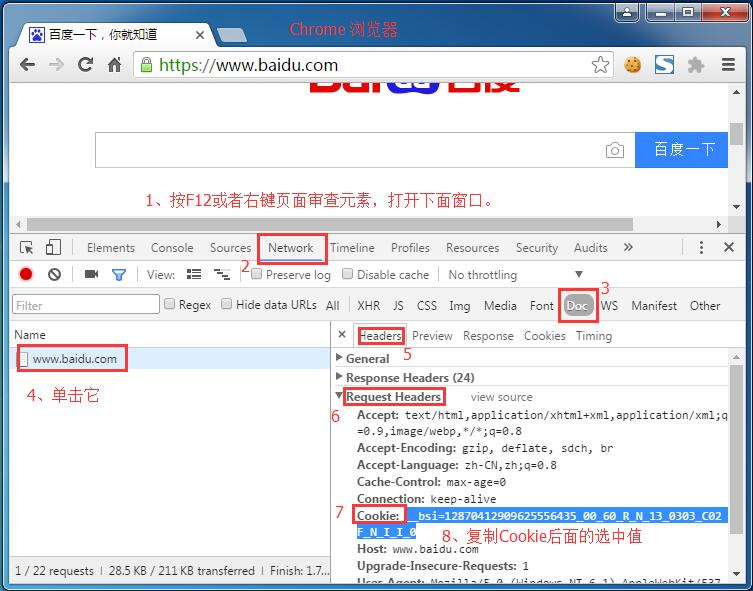
- Click
Network - Click
Doctabs - Click the website
- Click
Headers - turn up
Request Headers - try to find
CookieName, CopyCookie:The values that follow (note that the first one is not included)Cookie:)
Detailed introduction:./cookie-useragent.html
Previous article:How do I set special tags in the Xiaofeitu downloader?
Next article:Xiaofeitu Download V3.0 Released