
[Amazon API] Obtaining and configuring the Amazon translation API
This article explains how to enable the Amazon translation API and...
Xiaofeitu (a website translation service)Configure the Amazon translation API.
Activation steps
Register an account
- Register an account:https://console.aws.amazon.com/console/home

Get Key
Log in with my security credentials:https://console.aws.amazon.com/iam/home#/security_credentials
Access Key: Create an access key (click your username in the bottom right corner and select Security Credentials from the drop-down list).
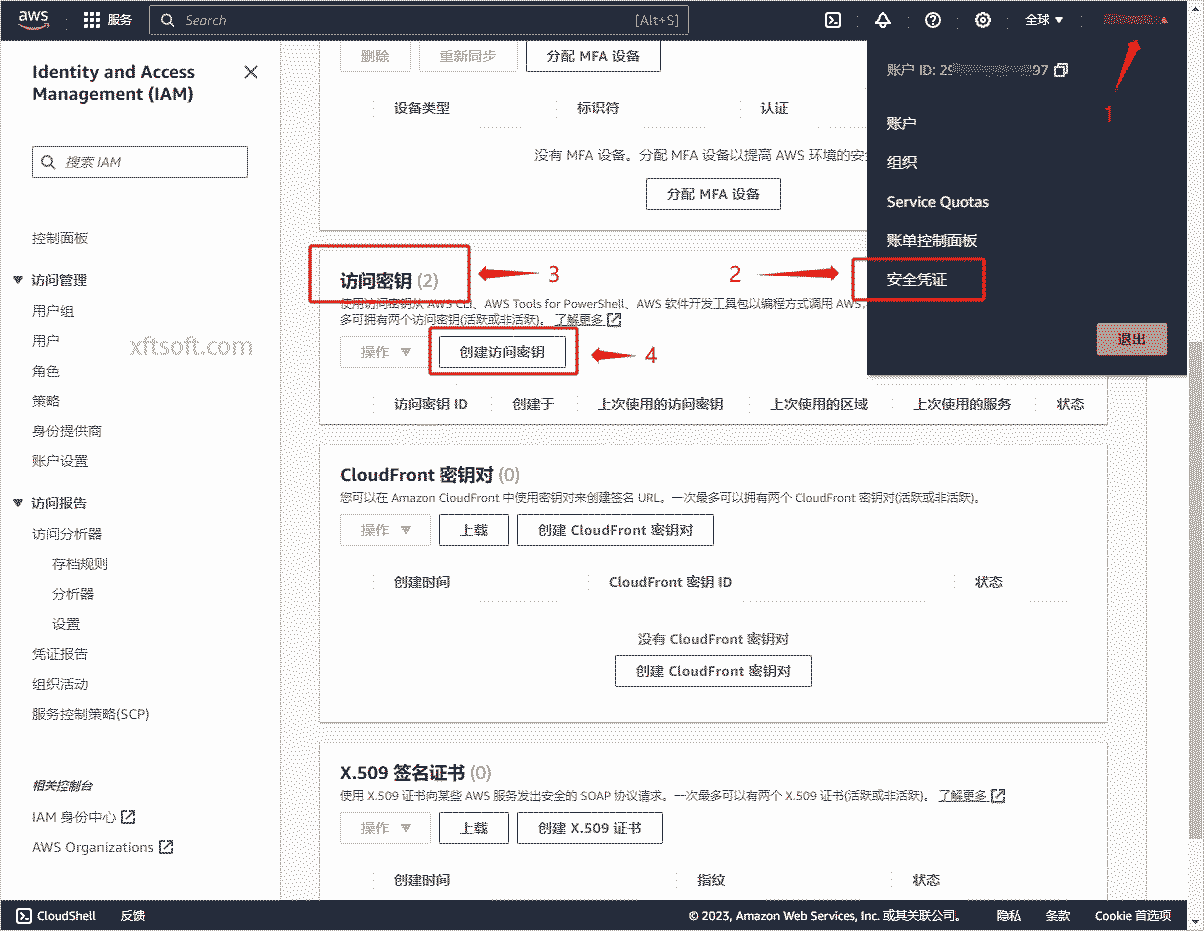
- Created and copied key
Configuration Interface
1. Download the software
- If you haven't downloaded it yet
Xiaofeitu (a website translation service)Please download the software first:/product/download/translation.zip
2. Interface Configuration
- Open the software and click on the menu bar.
Configuration Interface。
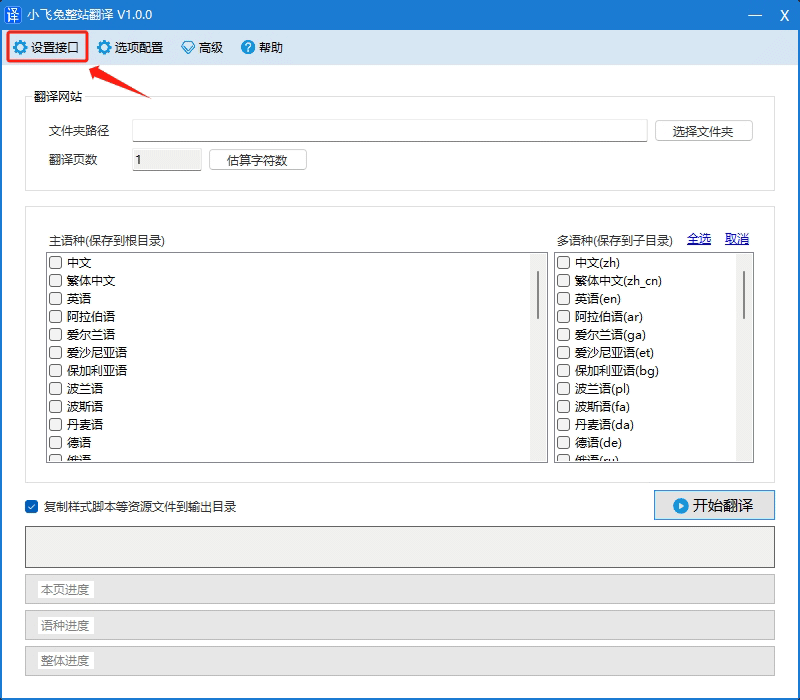
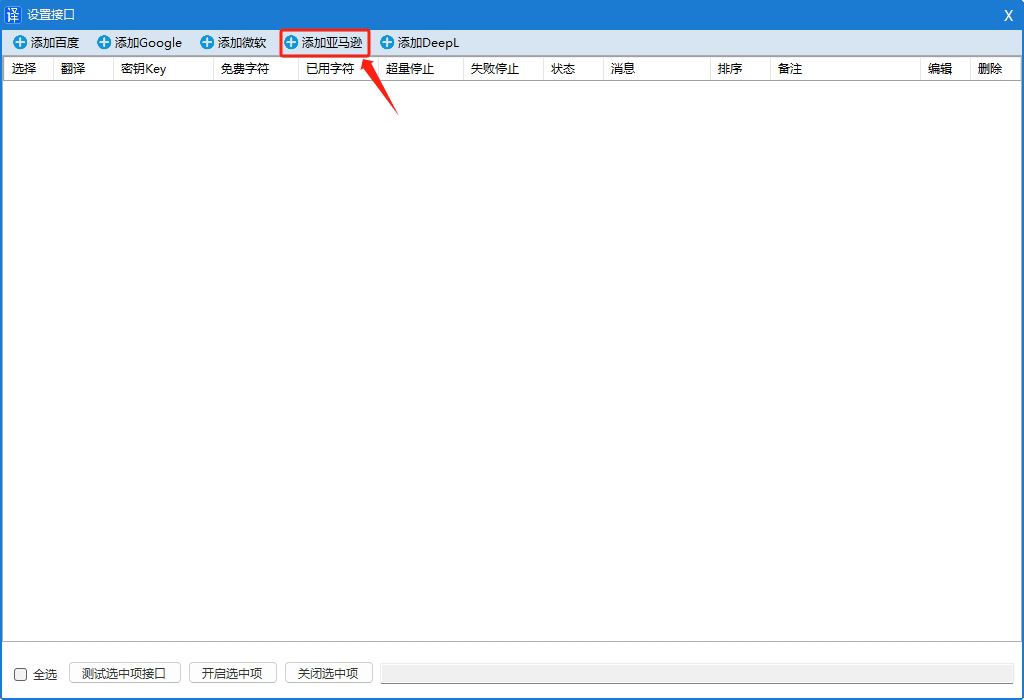
- In the opened window, click
Add Microsoft。
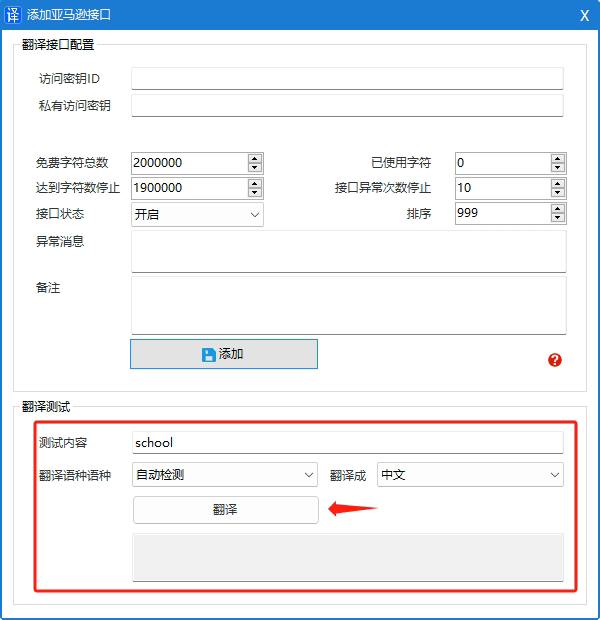
- In the opened window, enter the following:
Translate APPID、Translation KeyandService Version。
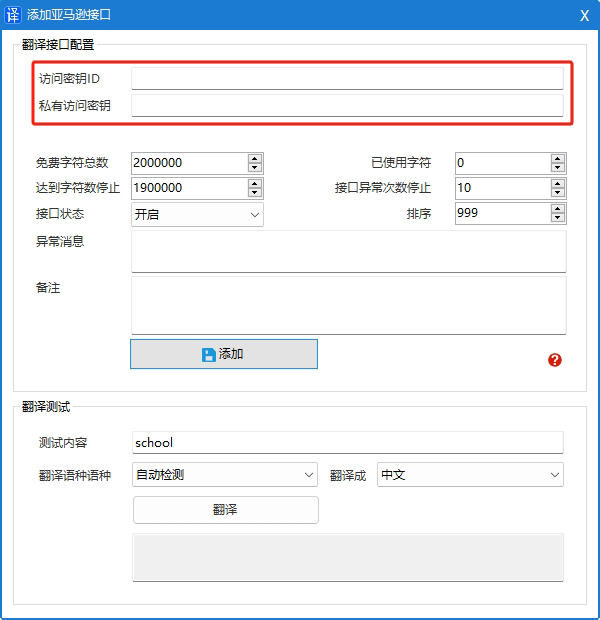
- Click the button
Add to。
3. Test and verify the translation
Interface fees
free
- You can translate up to 2 million characters per month, with a maximum of 12 months of free translation.
Paid
- USD 15.00 per million characters
For detailed pricing information, please refer to the official website documentation.https://aws.amazon.com/cn/translate/pricing/
other
Supported languages
Effective area
Translate document
- https://docs.aws.amazon.com/zh_cn/translate/latest/dg/what-is.html
- API documentation: https://docs.aws.amazon.com/zh_cn/translate/latest/dg/API_TranslateText.html
- 签名V4:https://docs.aws.amazon.com/zh_cn/general/latest/gr/signature-version-4.html
- .NET Signature: https://docs.aws.amazon.com/zh_cn/general/latest/gr/signature-v4-examples.html#signature-v4-examples-dotnet
- Full Python signature: https://docs.aws.amazon.com/zh_cn/general/latest/gr/sigv4-signed-request-examples.html