
[DeepL Interface] Obtaining and configuring the DeepL translation interface
This article describes how to enable the DeepL translation interface and
Xiaofeitu (a website translation service)Set up the DeepL translation API. The DeepL API provides you with programmatic access to DeepL machine translation technology, allowing you to apply its high-quality translation capabilities directly to your websites and applications. With the DeepL API Free plan, you can translate up to 500,000 characters per month for free.
Activation steps
Register/Login
- Login address:https://www.deepl.com/zh/login
Get Key
- Subscribe now:https://www.deepl.com/zh/account
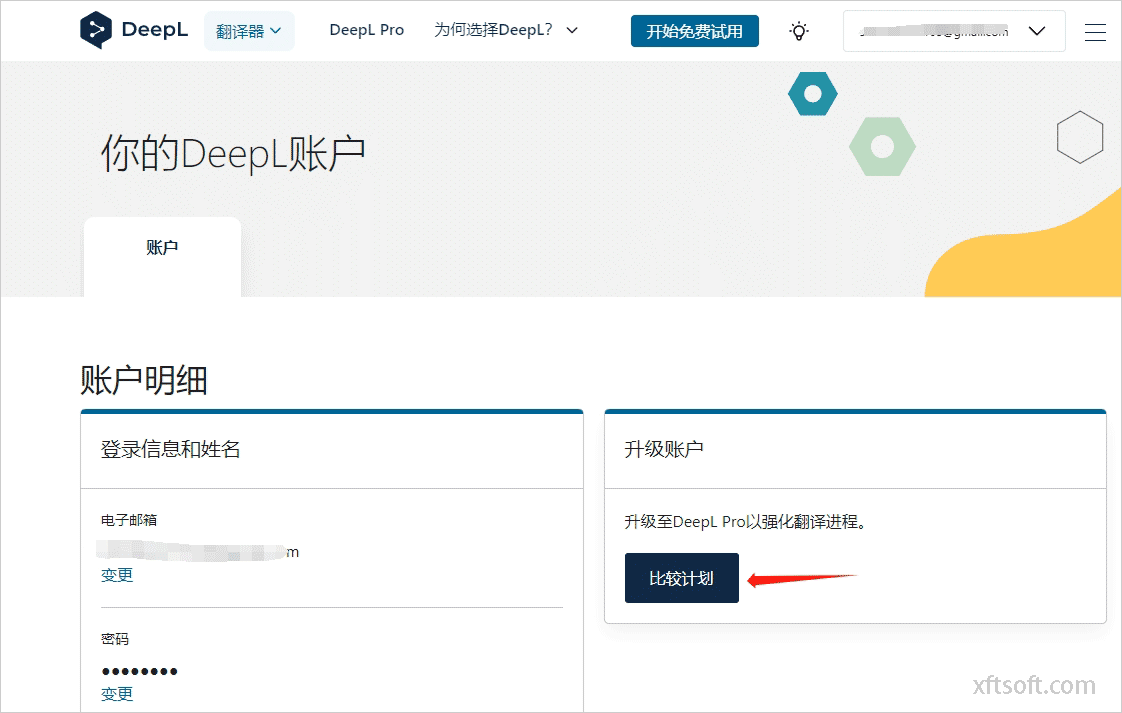
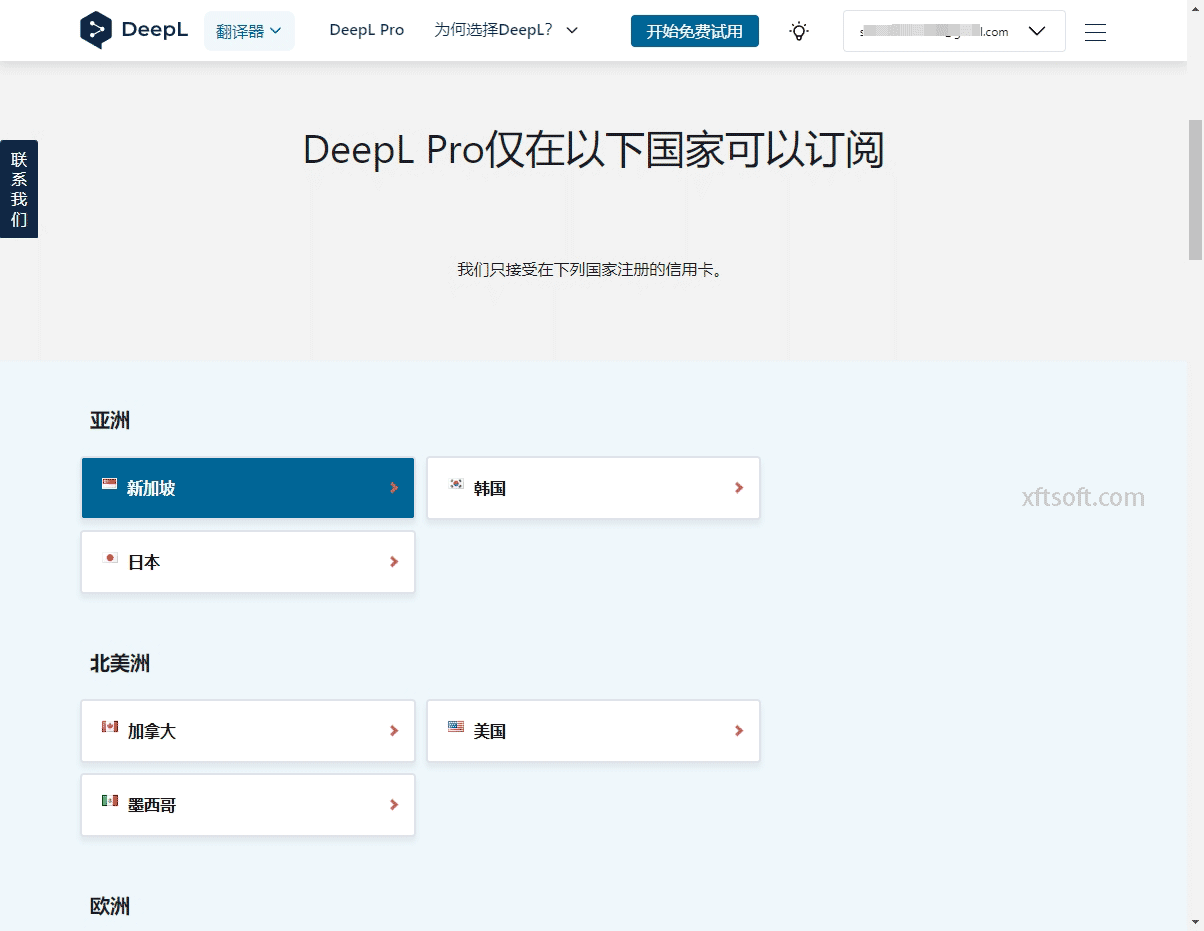
- Select region
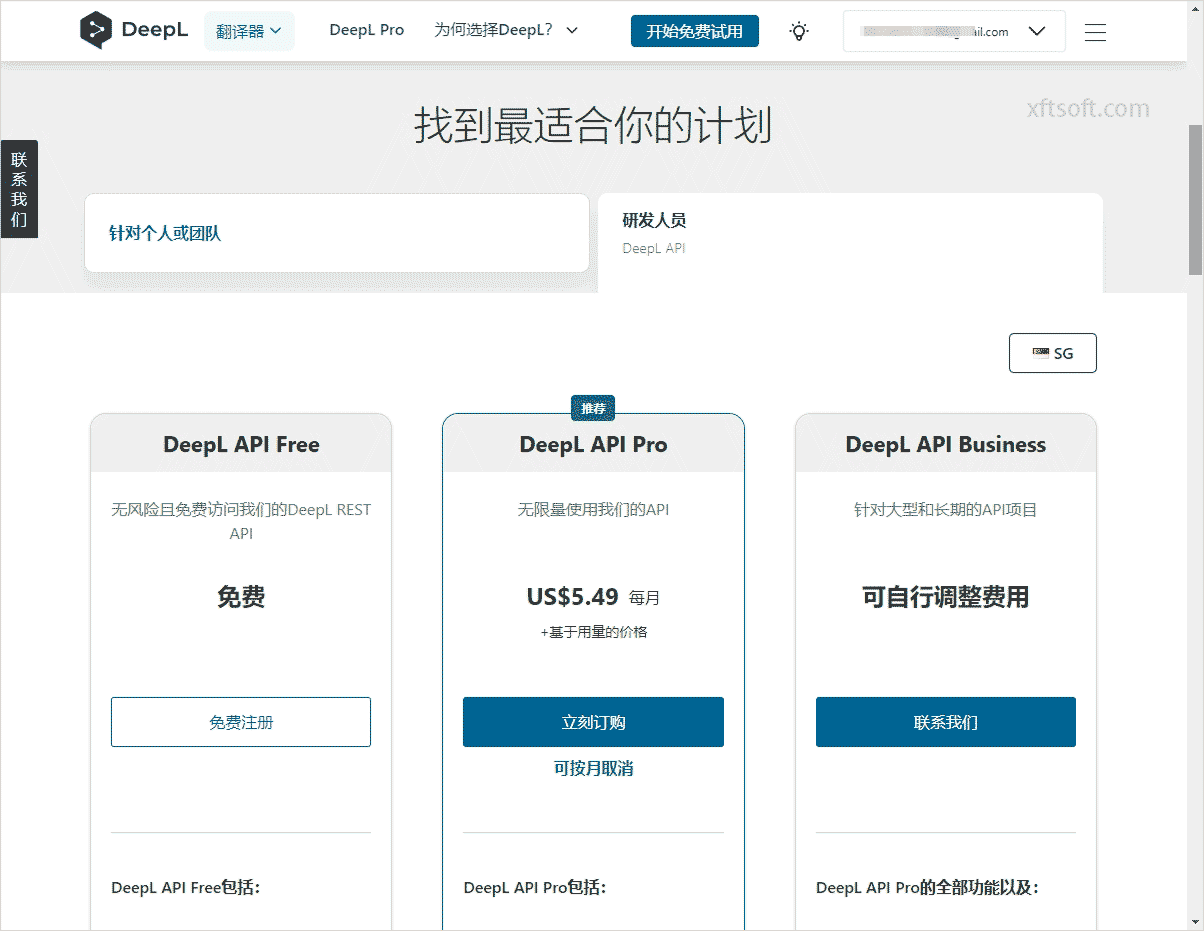
- Select Plan
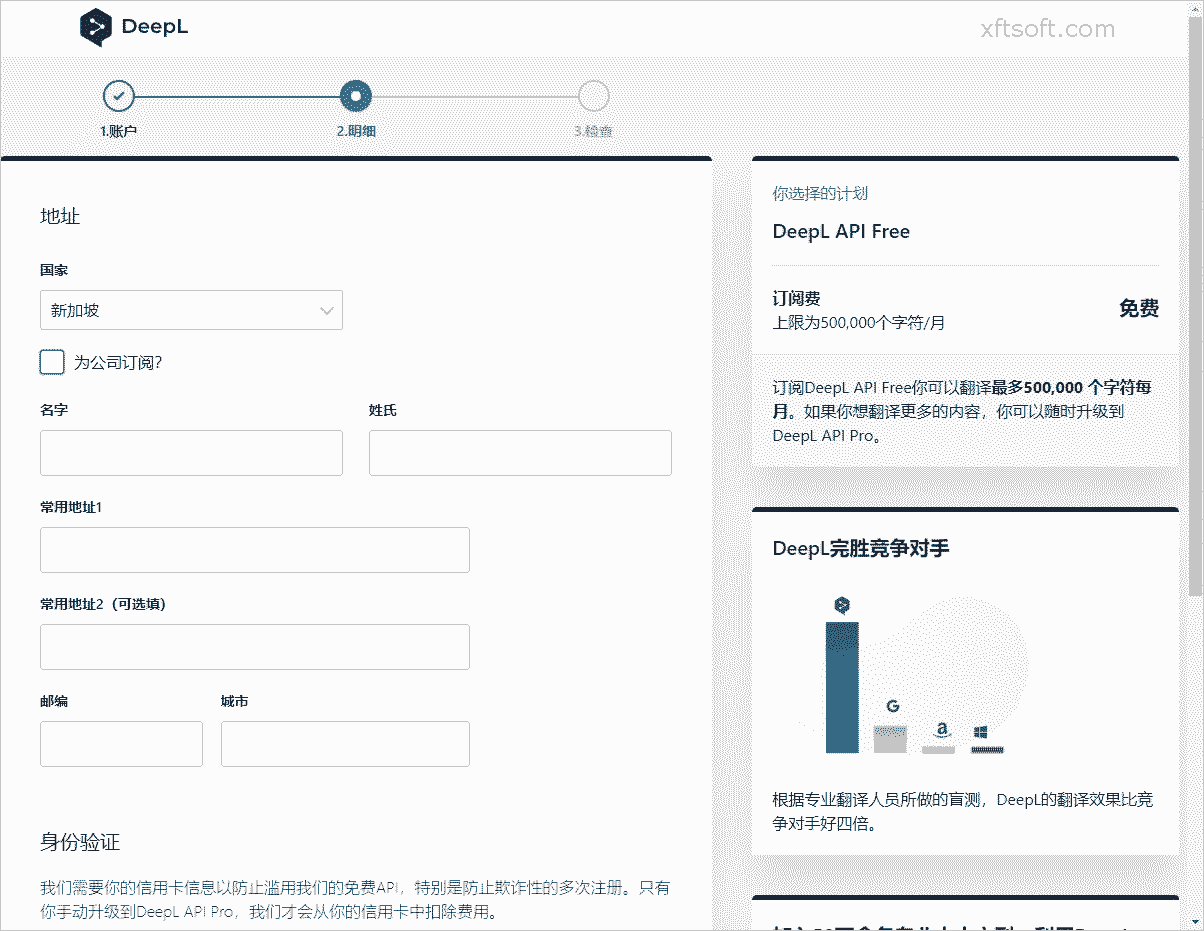
- Fill in the information
Configuration Interface
1. Download the software
- If you haven't downloaded it yet
Xiaofeitu (a website translation service)Please download the software first:/product/download/translation.zip
2. Interface Configuration
- Open the software and click on the menu bar.
Configuration Interface。
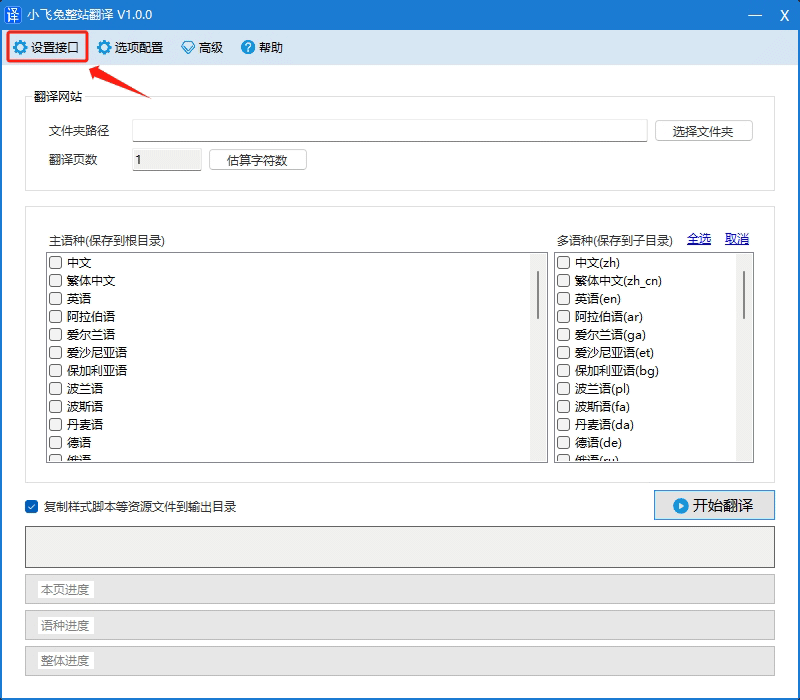
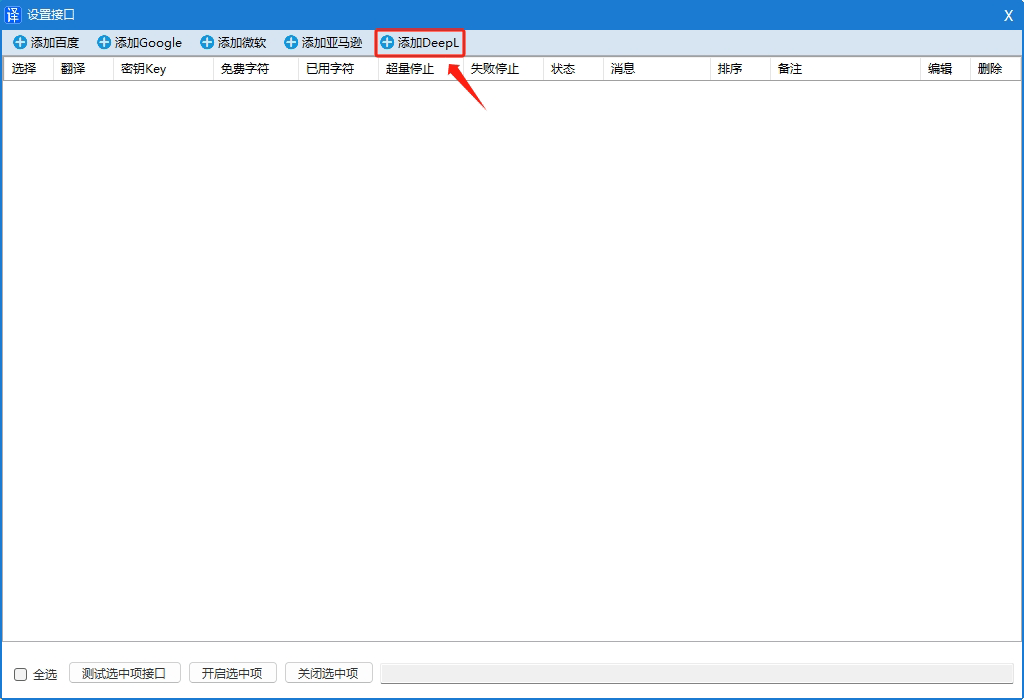
- In the opened window, click
Add Microsoft。
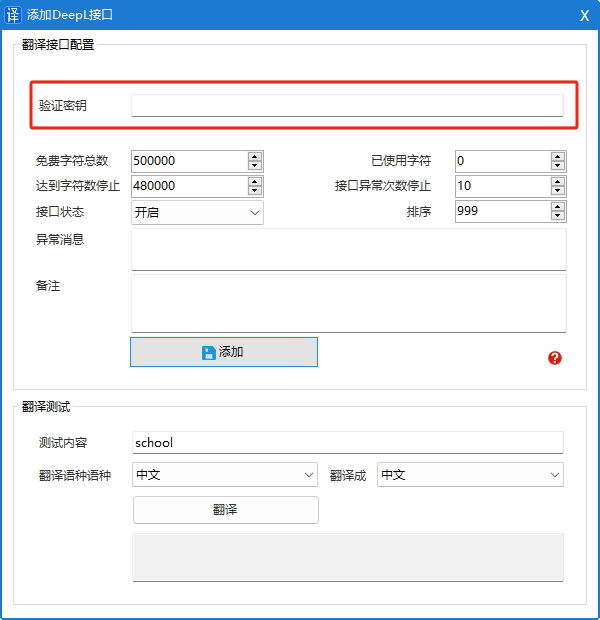
- In the opened window, enter the following:
Translate APPID、Translation KeyandService Version。
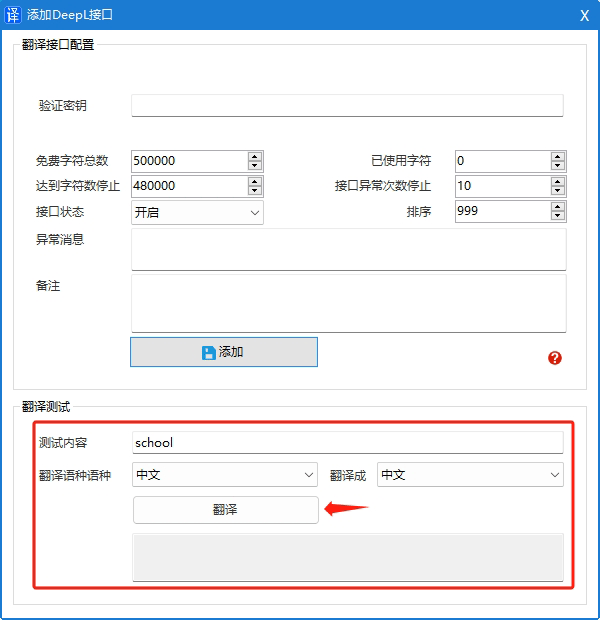
- Click the button
Add to。
3. Test and verify the translation
Interface fees
free
- Free translation of up to 500,000 characters.
Paid
- In addition to the basic price of €4.99 per month, there is a charge of €0.00002 per translated character (i.e., €20 per million characters).
For detailed pricing information, please refer to the official website documentation.https://support.deepl.com/hc/zh-cn/articles/360020685720-DeepL-API-字符统计和计费
other
Supported languages
Effective area
Document address
Previous article:Translate websites using API-free translation features.