
[Microsoft Interface] Obtaining and Configuring the Microsoft Translation Interface
This article explains how to enable the Microsoft Translate API and...
Xiaofeitu (a website translation service)Configure the Microsoft translation interface.
Activation steps
Login account
Create resources
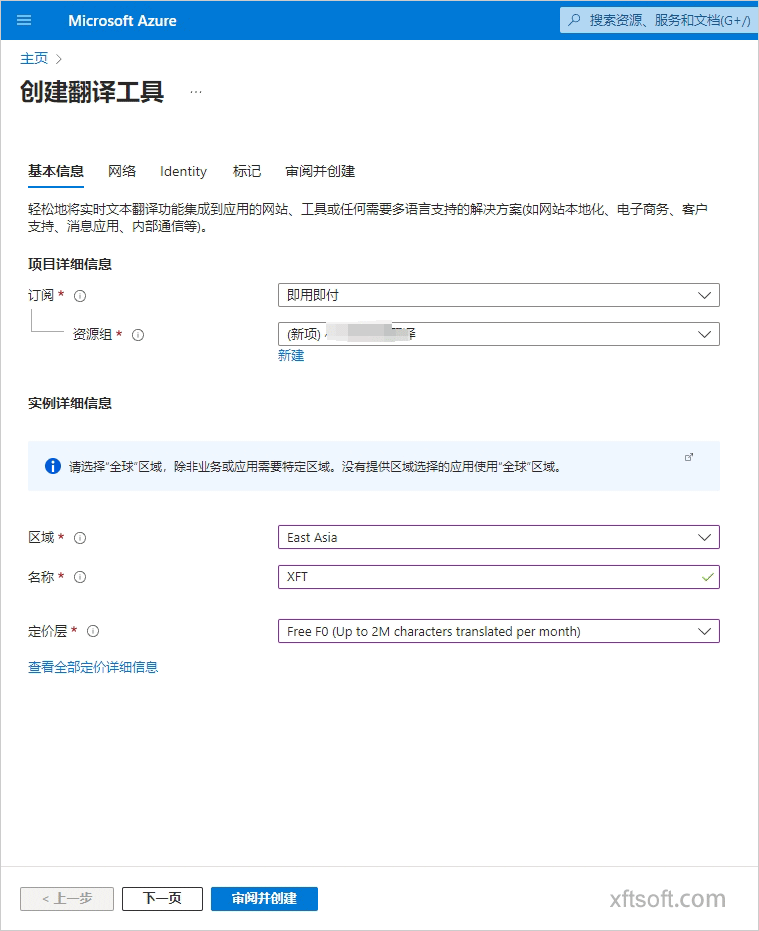
- Subscription: Pay only when you use it.
- Resource group: Name it yourself.
- Region: You can choose yourself.
East AsiaorSoutheast Asia。 - Name: Choose your own name.
- Pricing tier: Choose for yourself, or choose 2MB of free data per month.
Free F0(Up to 2M characters translated per month)
Copy key
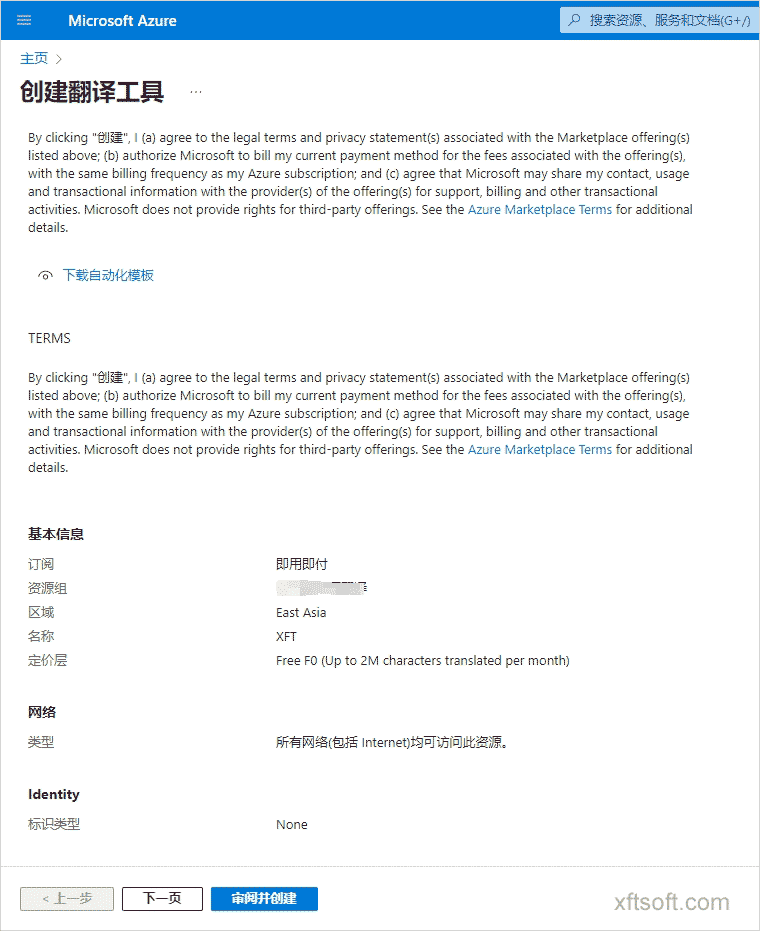
- Open all created projects and select the project you just created.

- Key and endpoint acquisition
KeyandLocation/Area
Configuration Interface
1. Download the software
- If you haven't downloaded it yet
Xiaofeitu (a website translation service)Please download the software first:/product/download/translation.zip
2. Interface Configuration
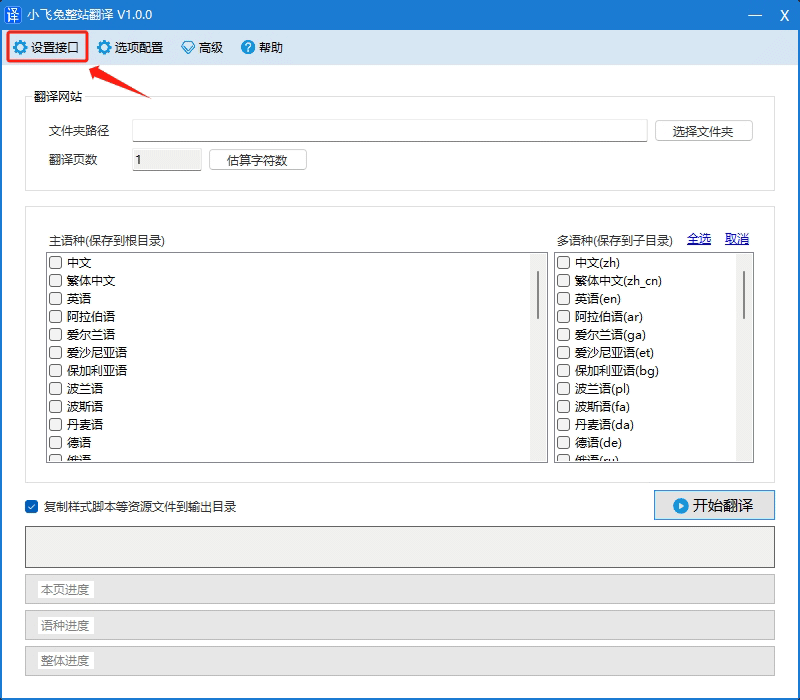
- Open the software and click on the menu bar.
Configuration Interface。
- In the opened window, click
Add Microsoft。
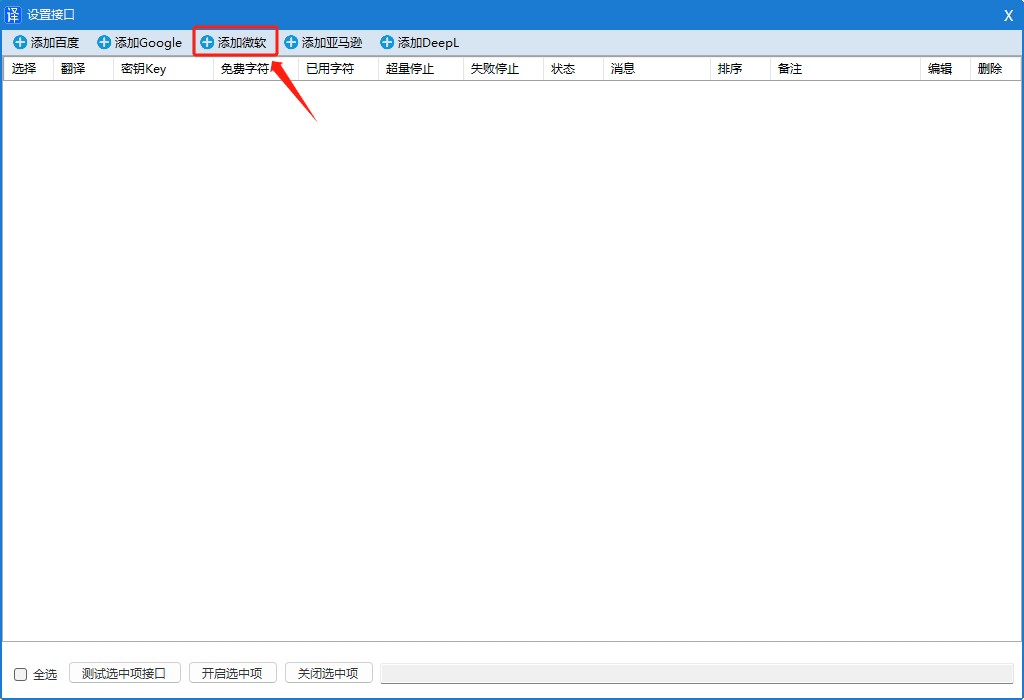
- In the opened window, enter the following:
Translate APPID、Translation KeyandService Version。
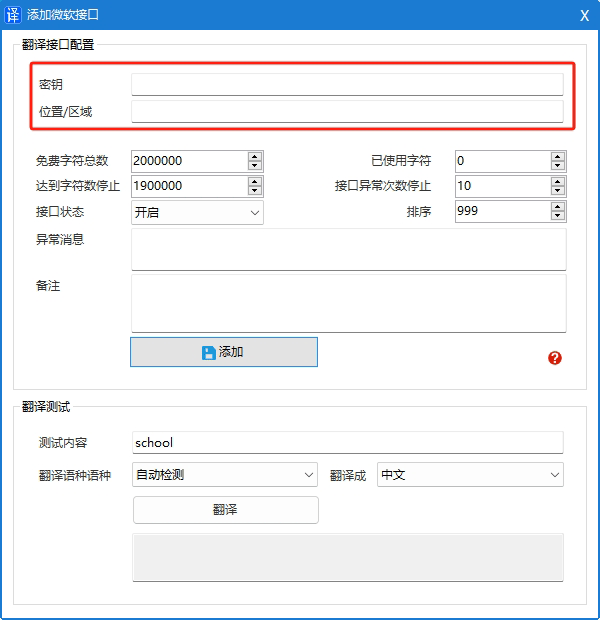
- Click the button
Add to。
3. Test and verify the translation
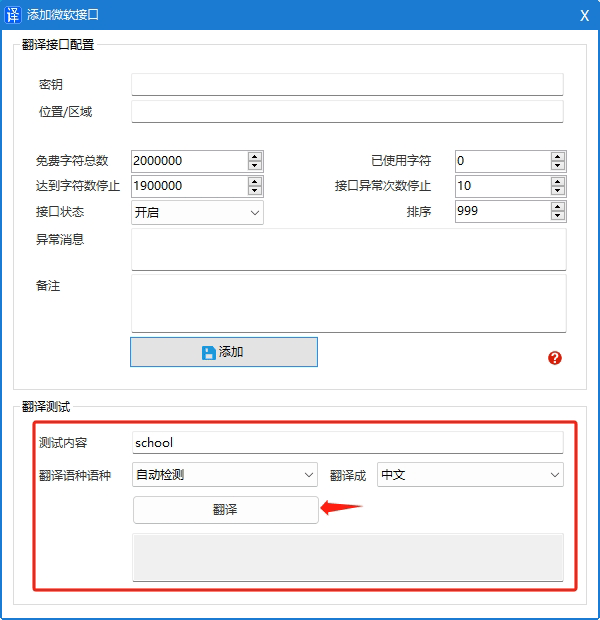
Interface fees
free
- Enjoy 2 million free standard translations and custom training combinations per month.
Paid
- Standard translation costs $10 per million characters.
For detailed pricing information, please refer to the official website documentation.https://azure.microsoft.com/zh-cn/pricing/details/cognitive-services/translator/#pricing
other
Supported languages
- Translator language support:https://docs.microsoft.com/zh-cn/azure/cognitive-services/translator/language-support#translation