
Translate websites using API-free translation features.
Table of Contents
- I. Preparing the Website
- 1. Static rendering tools
- 2. Website Staticization
- 2.1. Configuration Options
- 2.2 Start Downloading
- II. Translation Websites
- 1. Download the software
- 2. Enter address
- 3. Translation of documents
- 3.1 Scanning Documents
- 3.2 Management Documents
- 3.3 Translation
- 3.3.1 Translation Websites
- 3.3.2 Translation Websites
- 3.4 Output Results
- 4. Examples
This software can translate your website into the native languages of various countries, increasing its indexing by search engines such as Google, and enabling people in different countries to find your products using their native language keywords.
I. Preparing the Website
1. Static rendering tools
- Download link:Download the whole site
2. Website Staticization
Use the Xiaofeitu download tool to statically generate your website.
- After downloading the Xiaofeitu downloader, first extract the software to a folder, then double-click the folder.
XFT.exeOpen the software
2.1. Configuration Options
Click on the menu bar
Configuration options
- System Settings: Generation Path Selection
Page relative path, other absolute pathsCheck the boxURL structure (remove index.html from the URL) - Broken links: Select all
Link back to original site - Excluded URLs:Cancel Check
Download other files - Delete code: All Cancel Check
2.2 Start Downloading
Click on the menu bar
Single-site download
- Enter your
WebsiteClickNext stepSet the depth and number of pages to999999Page structure and file structure selectionConsistent with the original siteClick Start downloading - After the download is complete, the local folder will open automatically and the browser will open the website address. The folder that opens will be the statically generated website folder. For example, the folder address is:
d:\xft\website\zz_domain\
II. Translation Websites
1. Download the software
- Download software:https://xftsoft.com/translation/
- After downloading, extract the software to a folder and double-click to open it.
Main.exe
2. Enter address
- Select from the menu bar
Interface translation-freeFunction
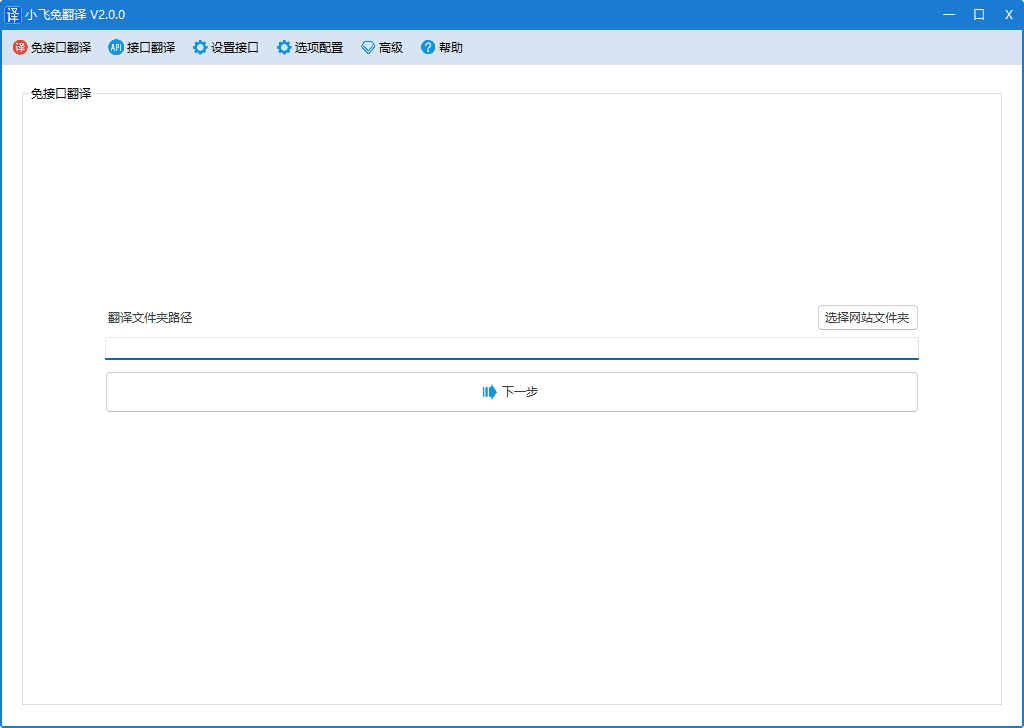
- Enter the path to the translation folder. If the website address above is where the translation was saved (
d:\xft\website\zz_domain\) - Click
Next step
3. Translation of documents
3.1 Scanning Documents
Scan the document to be translated.
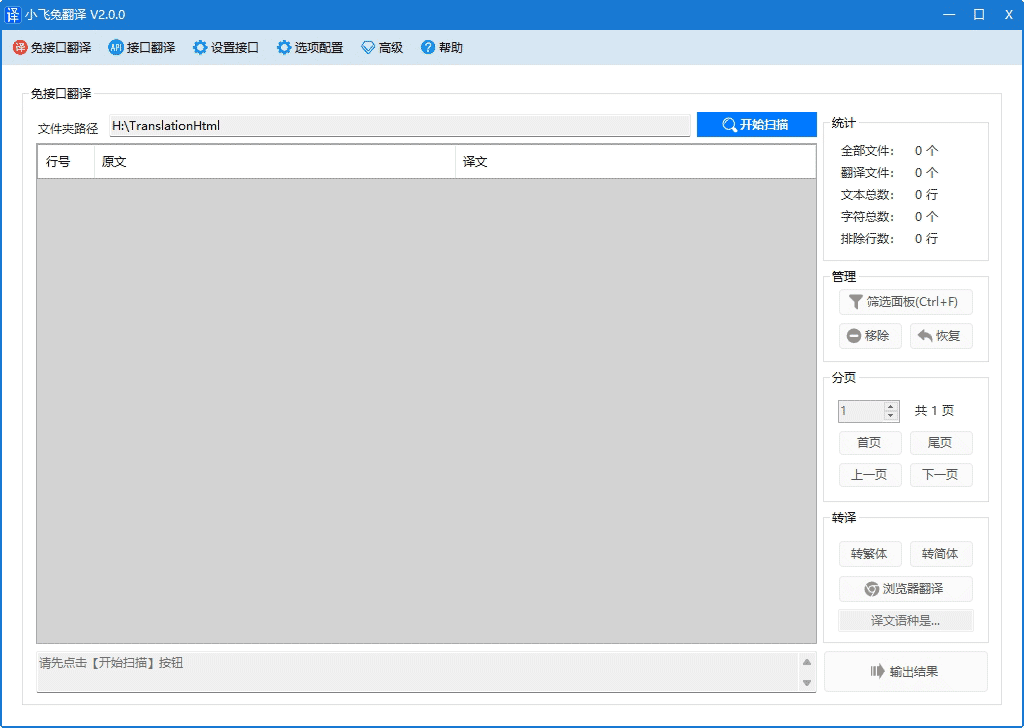
- Click on the interface
Start scanningButton
3.2 Management Documents
Mark content that does not need translation.
- Click
Filter panelOr pressctrl+FOpen the filter function - Select the content that does not need to be translated, and click.
RemoveButton or pressF1These records are marked as not to be translated.
3.3 Translation
Translate (Traditional and Simplified Chinese) or browser translation
3.3.1 Translation Websites
- Click
Convert to Traditional ChineseandSimplified ChineseComplete translation
3.3.2 Translation Websites
Compared to converting to Traditional Chinese and Simplified Chinese, the translation process is relatively more complex.
- Click
Browser translationIt automatically opens the translation content in the browser and uses the browser's translation function to perform the translation. Note: If clicking has no effect, it may be a permissions issue. Close the software and then run it as administrator. - Switch to browser interface: In Chrome browser, select from the right-click menu on the page.
Translate into...Your language, or the Edge browser, can also be selected via the right-click menu.Translated as...Your language - Click the top right corner of the page
Scroll to the bottomBy scrolling the page, the entire page can be fully translated. - Click the top left corner of the page
Submit translationThe translation involves a large amount of text and requires multiple submissions until no more original text strings are displayed, indicating that the translation is complete. - Switch to software interface
3.4 Output Results
- Click on the interface
OutputTranslation complete, the translated folder will open automatically. - Multiple browser translation operations can achieve multilingual translation.
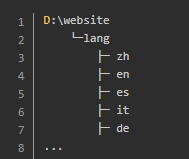
- The translation output is an HTML file by default, and the output is saved in a subdirectory of the website, such as:
4. Examples
Little Flying Rabbit:/lang/ ,Google indexing status,Bing indexing status