
[Google API] Obtaining and configuring the Google Translate API
This article explains how to enable the Google Translate API and...
Xiaofeitu (a website translation service)Configure the Google Translate API.
Activation steps
Register an account
- Register an account:https://accounts.google.com/
Create credentials
Log in to Google Cloud:https://console.cloud.google.com/apis/credentials
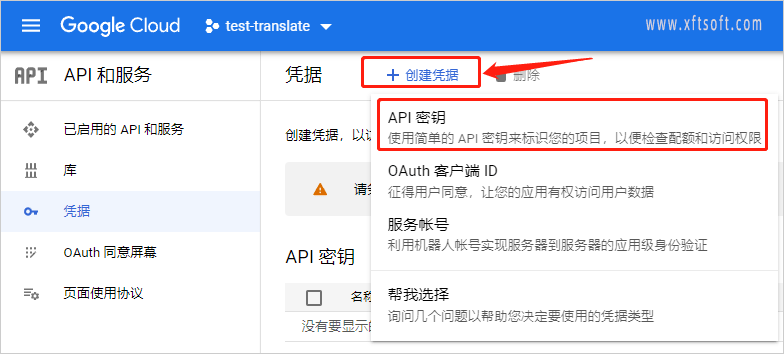
Create credentials
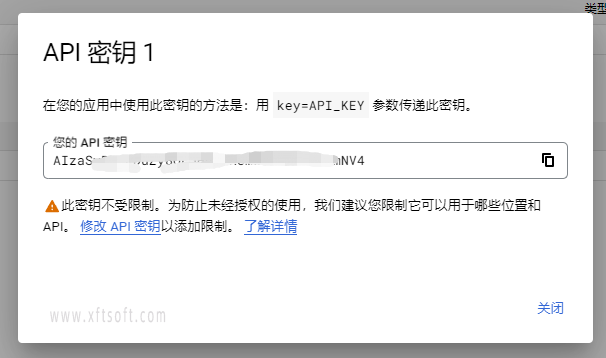
- Created and copied key
Enable translation
- Enable Cloud Translation API:https://console.developers.google.com/apis/api/translate.googleapis.com/overview
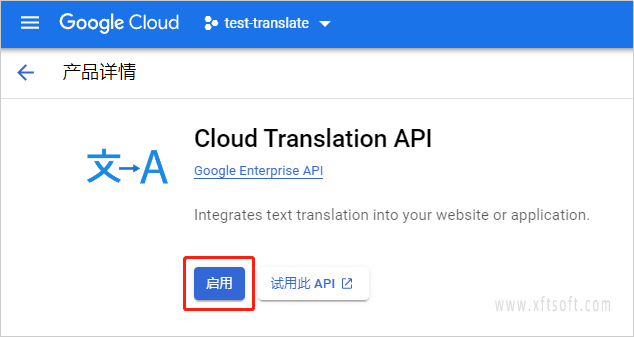
Note: If you encounter a lack of a settlement account during the activation process, simply activate the account.
Configuration Interface
1. Download the software
- If you haven't downloaded it yet
Xiaofeitu (a website translation service)Please download the software first:/product/download/translation.zip
2. Interface Configuration
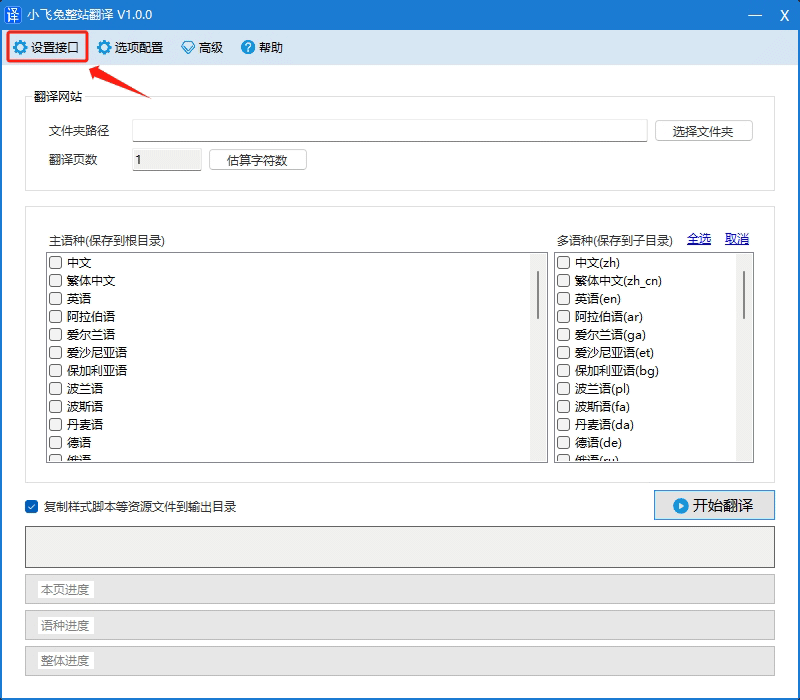
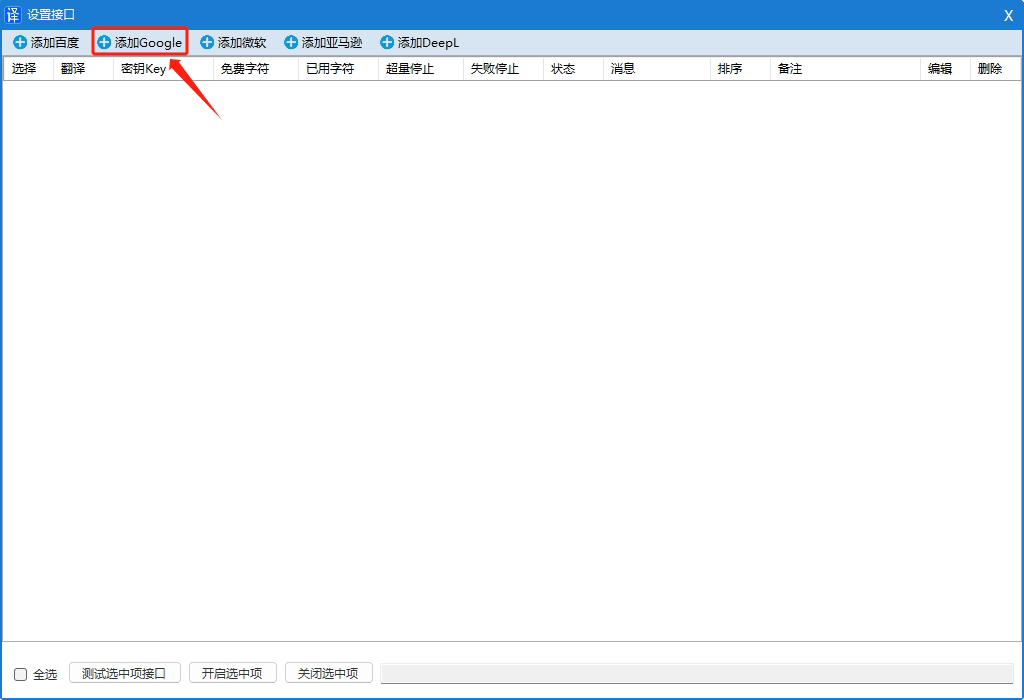
- Open the software and click on the menu bar.
Configuration Interface。
- In the opened window, click
Add Microsoft。
- In the opened window, enter the following:
Translate APPID、Translation KeyandService Version。
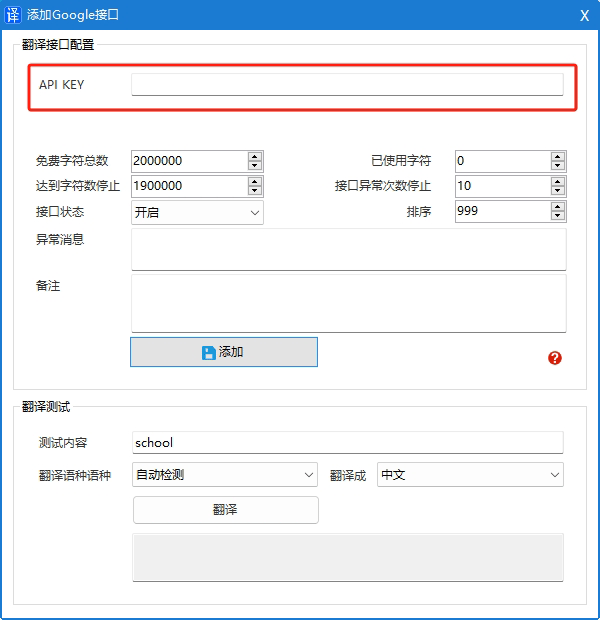
- Click the button
Add to。
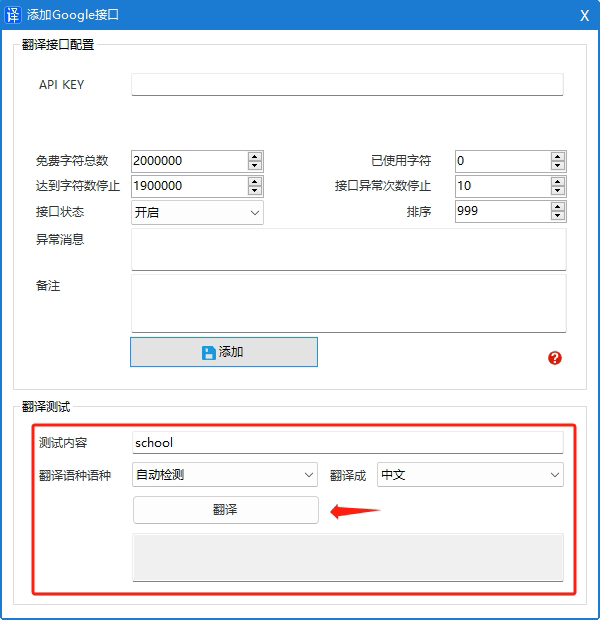
3. Test and verify the translation
Interface fees
free
- The first 500,000 characters per month
Paid
- $20 per million characters
For detailed pricing information, please refer to the official website documentation.https://cloud.google.com/translate/pricing
Troubleshooting
Encountered HTTP 403 error
There may be a problem with your billing account (e.g., your credit card has expired), or you may have exceeded your daily billing limit or your character limit per minute. If you exceed your daily limit, you will receive a Daily Limit Exceeded error; if you exceed your character limit per minute, you will receive a User Rate Limit Exceeded error.
- To check the billing status of your project, please refer to the Cloud Billing documentation.Verify the settlement status of the project。
- To view or change your project's usage quotas, please visit the Google Cloud console."Quota" page。
- API test returns 403 code, quota and limit:https://cloud.google.com/translate/quotas?hl=zh-cn
HTTP 500 (Internal Errors) response
- This can happen if you don't specify the source language when submitting your text. If Google can't determine the source language of the given text (usually because the text is too short), we'll return a 500 error. To resolve this, explicitly specify the source language.
Solving common problems:https://cloud.google.com/translate/troubleshooting?hl=zh_CN