How do I configure the settings to download mobile/WAP web pages?
Table of Contents
Clear cache
If the mobile and desktop URLs are the same, and you previously downloaded the desktop version using this URL, you need to clear the desktop version's cache first.
Method 1: Delete all cache. Click the menu bar in the software.
Clear cacheThis will clear the cache of all previously downloaded websites.Method 2: Delete the single-site cache. Open the software's root directory...
CacheFolder, delete manuallyTemp+ domainA named folder.
set up
General Settings
- On the download page, set...
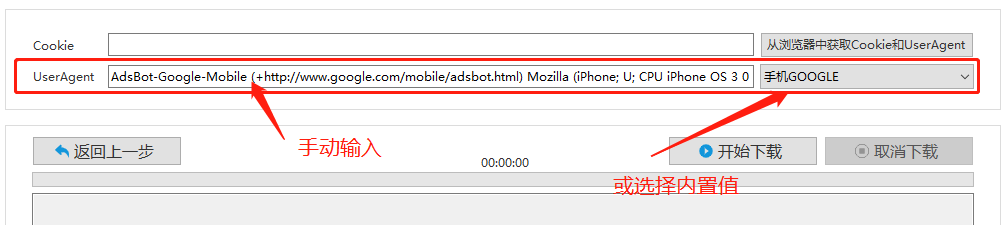
UserAgentYou can manually copy the User-Agent value from the browser's mobile version, or select the built-in mobile value from the dropdown menu.
Special settings
- In some special cases, in addition to setting the User-Agent, it is also necessary to set...
cookievalue - Click Software
Obtain Cookies and UserAgent from the browserClick the button (see the button in the image above) in the upper right corner of the opened window.Switch phone modeAfter the page loads, click the bottom right corner.Confirm and closeThe button has both a cookie and a user agent set. - Reference URL:./cookie-useragent.html
Keywords: mobile, mobile device, WAP, mobile website