Shadow DOM
How to Shadow DOM Turn to Real DOM?
Shadow DOM Example
- The image below shows a page with a Shadow DOM. The page contains a #shadow-root node. When copying the entire page's code, the shadow node code cannot be copied.
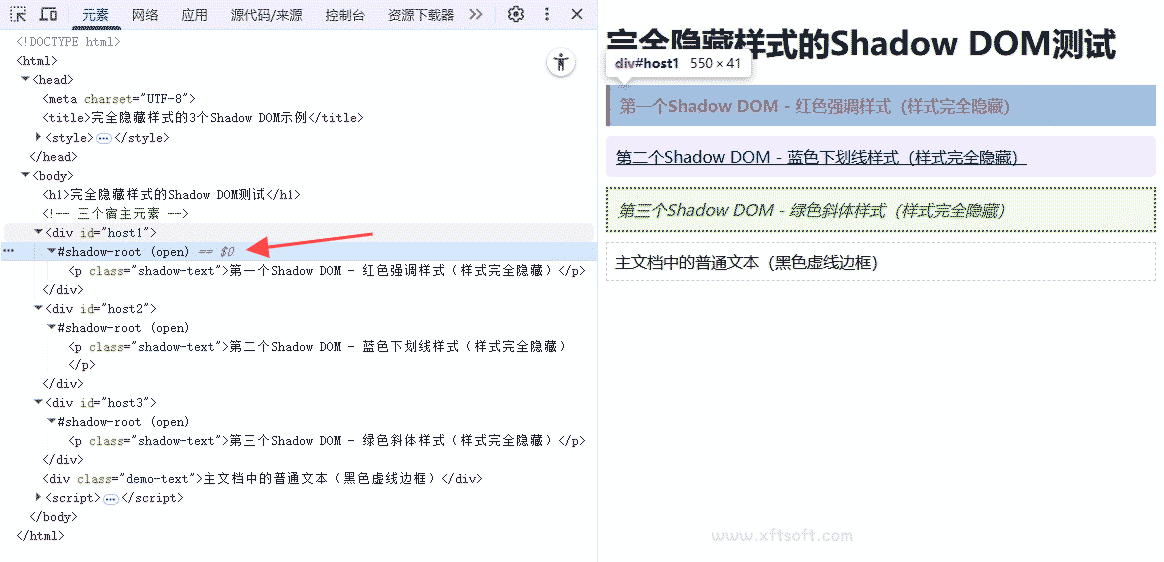
Deconstructing the Shadow DOM
- Little Flying Rabbitof
Recording and downloadingandStatic downloadThe built-in browser implements the disassembly and transformation of the Shadow DOM.

Output the real DOM
- #shadow-root is converted to the real DOM, and then HTML code without the Shadow DOM is generated through static download.
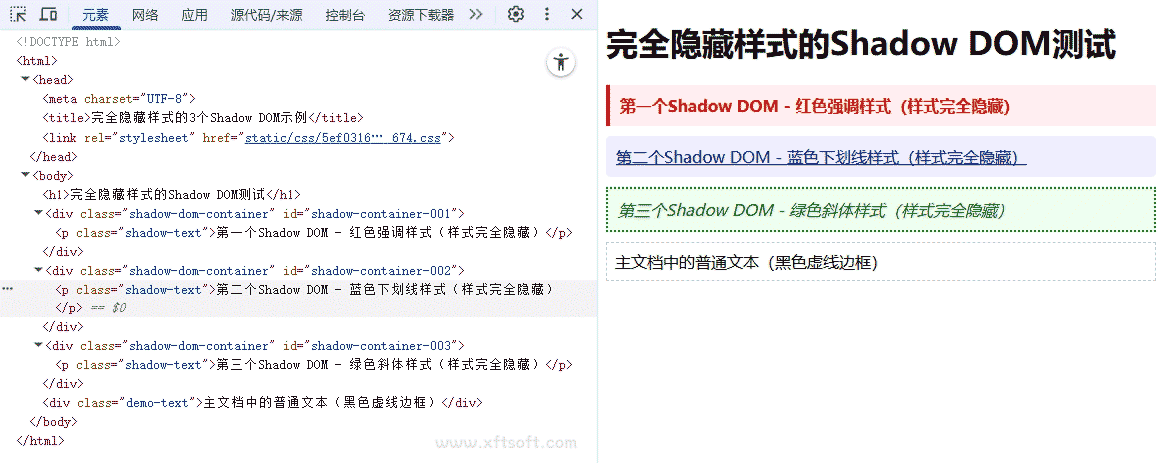
Introduction to Shadow DOM
The shadow DOM eliminates the vulnerabilities inherent in building web applications. These vulnerabilities stem from the global nature of HTML, CSS, and JS. Over the years, we've invented numerous tools to circumvent these issues. For example, when you use a new HTML id/class, there's no guarantee it won't conflict with existing names used by the webpage. Subtle bugs can gradually emerge, CSS specificity can become a major problem (!important all of these!), style selectors can go haywire, and performance can be impacted. And there's much more.
Shadow DOM fixes CSS and the DOM. It introduces scoped styles to the web platform. Without tools or naming conventions, you can bind CSS with markup, hide implementation details, and write self-contained components in native JavaScript.
Shadow DOM is one of the three major standards for Web Components, the other two being HTML templates, Shadow DOM, and custom elements. HTML imports used to be on this list, but are now considered obsolete.
You don't need to write web components that use the shadow DOM. However, when you do, you can leverage its advantages (CSS scoping, DOM encapsulation, composition) and build reusable custom elements that are flexible, highly configurable, and extremely reusable. If custom elements are the way to create new HTML (using the JS API), the Shadow DOM is the way to provide its HTML and CSS. Using these two APIs together allows you to create components that contain self-contained HTML, CSS, and JavaScript.
Shadow DOM is a tool for building component-based applications.
Isolated DOM
- The component's DOM is self-contained (for example, document.querySelector() does not return nodes in the component's shadow DOM).
Restricted CSS
- CSS defined in the Shadow DOM is constrained by the Shadow DOM. Style rules will not be leaked, and page styles will not be infiltrated.
combination
- Design tag-based declarative APIs for components.
Simplify CSS
- Using the scoped DOM means you can use simple CSS selectors and more generic ID/class names without worrying about naming conflicts.
efficiency
- Treat the application as multiple parts of the DOM, rather than a single large (global) page.